Key takeaways
- Each test has a new Exam interface setting: Standard, JEE Main style (NTA mock or TCS console layout), JEE Advanced, GATE or Railway JE (RRB) style.
- Strict saving is on by default: an answer counts only after a save button, such as Save & Next.
- Your logo and name sit in the header. No exam body's logo appears.
- GATE and RRB JE styles lock Submit until time is up in strict mode. GATE style has an on-screen calculator.
- On a phone, the question palette opens as a bottom sheet.
A mock test should feel like exam day, not like a quiz app
Picture a student in Kota who has taken forty mock tests on an app where every tap is saved. In January she sits JEE Main. She picks an option, clicks the next number on the palette, and her answer is gone. NTA says so in plain words: clicking a question number in the palette “does NOT save your answer” (JEE Main 2027 Information Bulletin, Appendix III). Only Save & Next, or Mark for Review & Next, saves it.
The same bulletin sets Paper 1 (B.E./B.Tech.) at 75 questions in 180 minutes, with the keyboard switched off and a clock that ends the exam by itself. None of this is hard. It is just new, and new costs marks on the one day that matters. From today, your students can practice on that kind of screen inside Vacademy, with your questions and your name on it.
Four exam styles, plus Standard, for each test
| Exam interface | What students get |
|---|---|
| Standard | Vacademy's usual test screen. Nothing changes for tests you leave on it. |
| JEE Main style | Pick the NTA mock layout or the TCS console layout. |
| JEE Advanced style | Section tabs, a marks row, and checkboxes for multiple-correct questions. |
| GATE style | On-screen scientific calculator. Submit locked until time is up (strict mode). |
| Railway JE (RRB) style | Section tabs for the paper. Submit locked until time is up (strict mode). |
JEE Main has two layouts because students meet two: NTA’s practice mock and the console at the center. Our NTA mock vs TCS console guide explains when to use which.
Real screens · tap a style
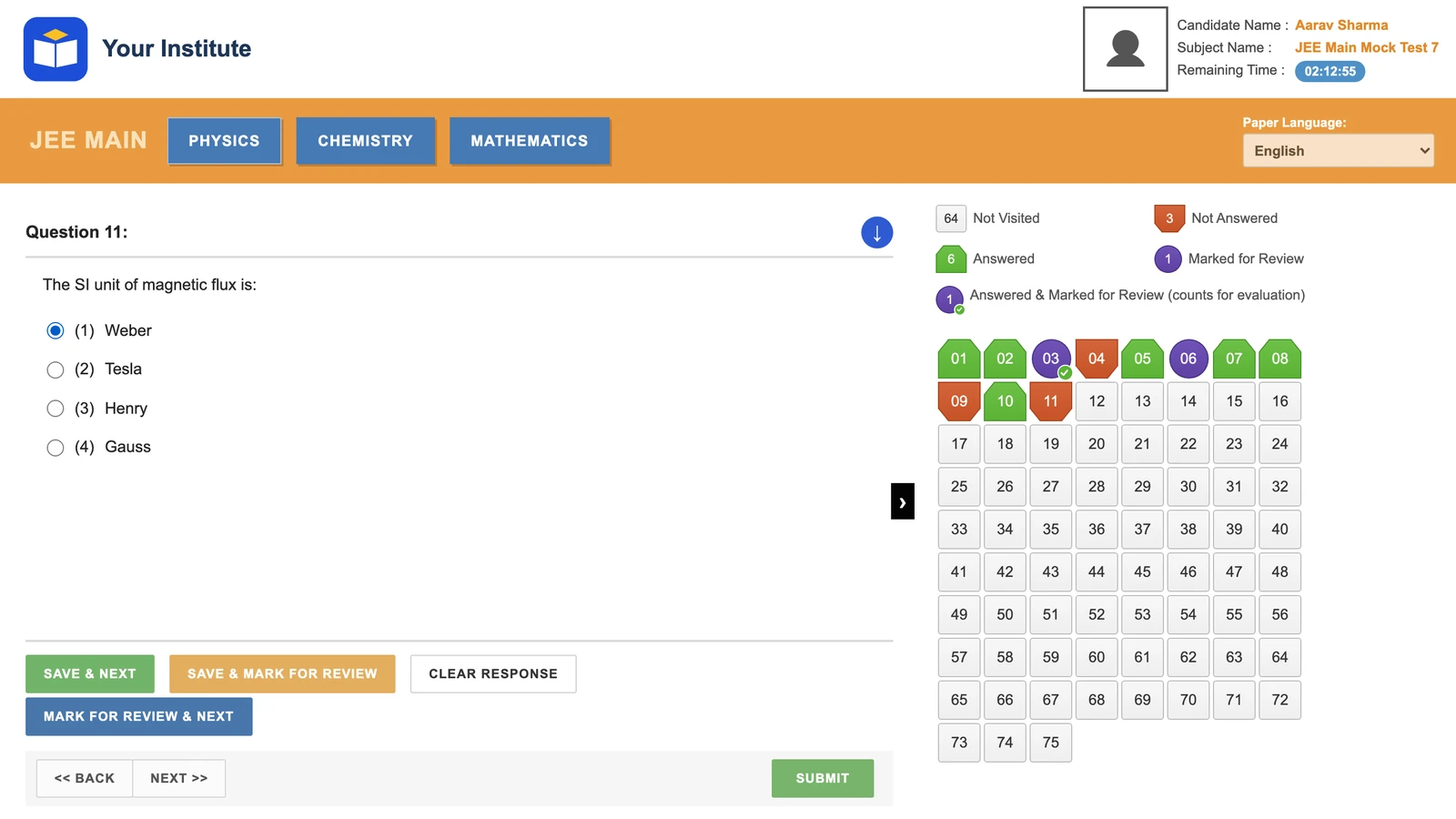
Like NTA's practice mock: subject tabs, all 75 questions in one palette, Back / Next buttons. The Paper Language box shows English only for now.
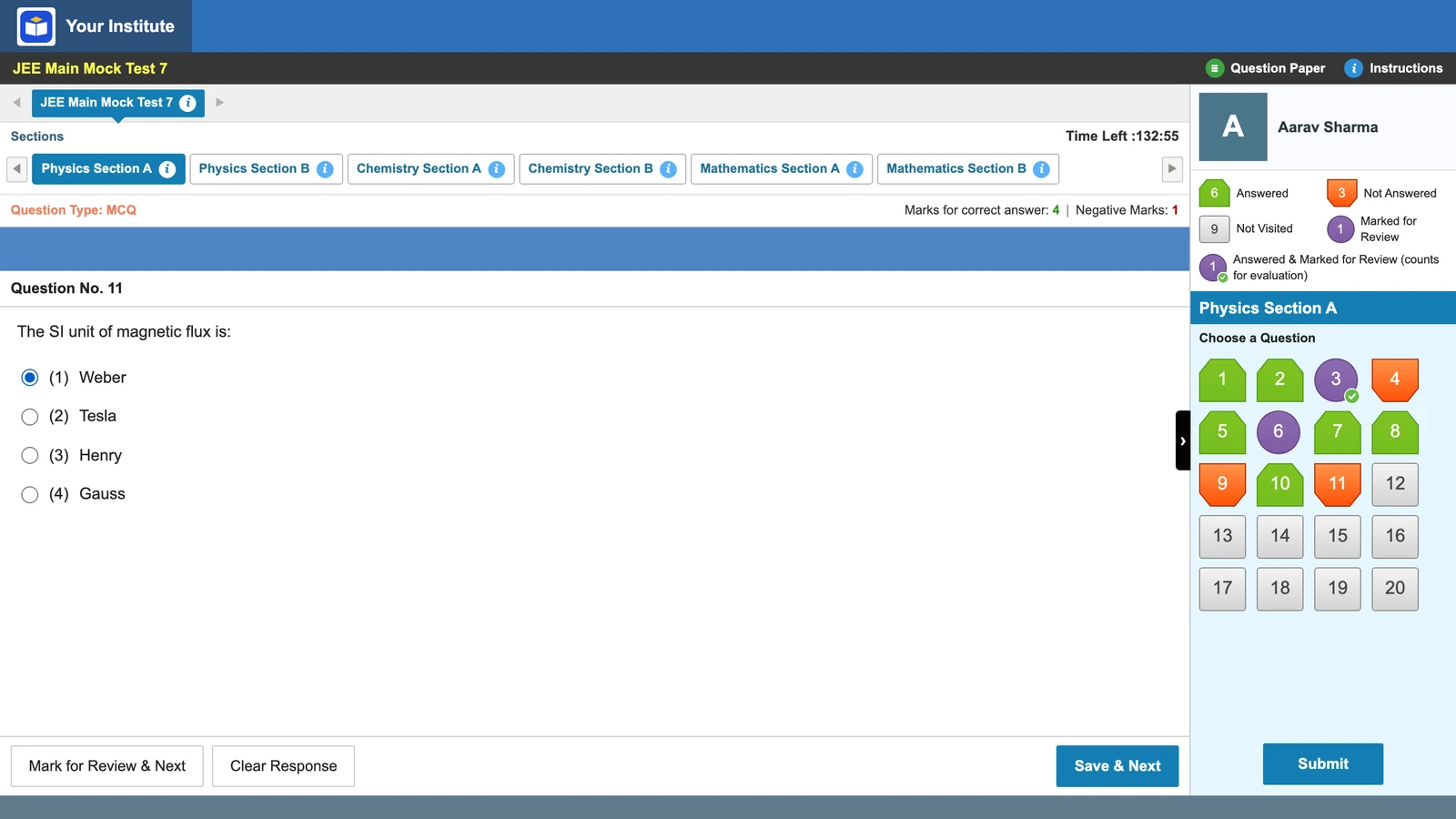
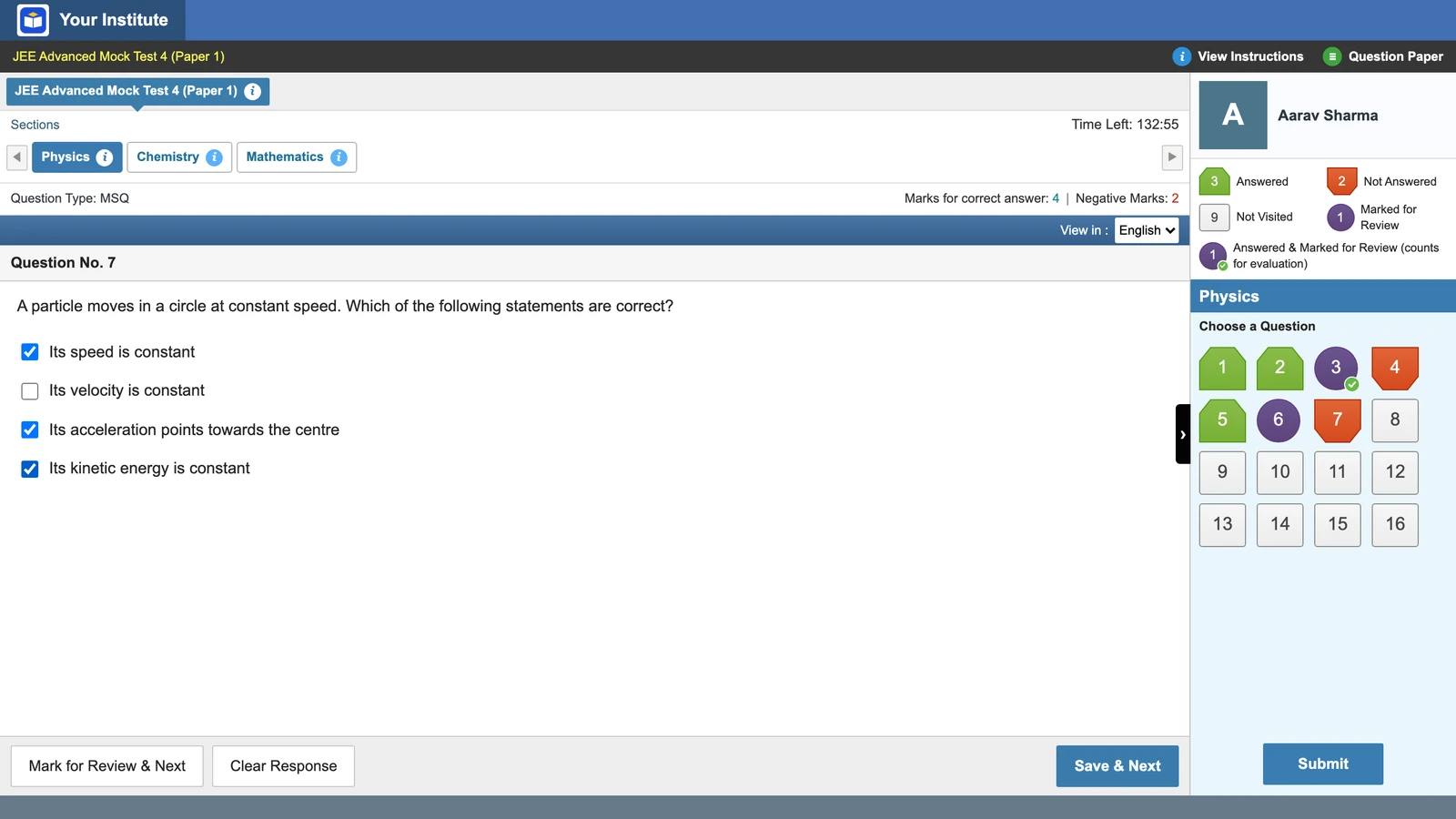
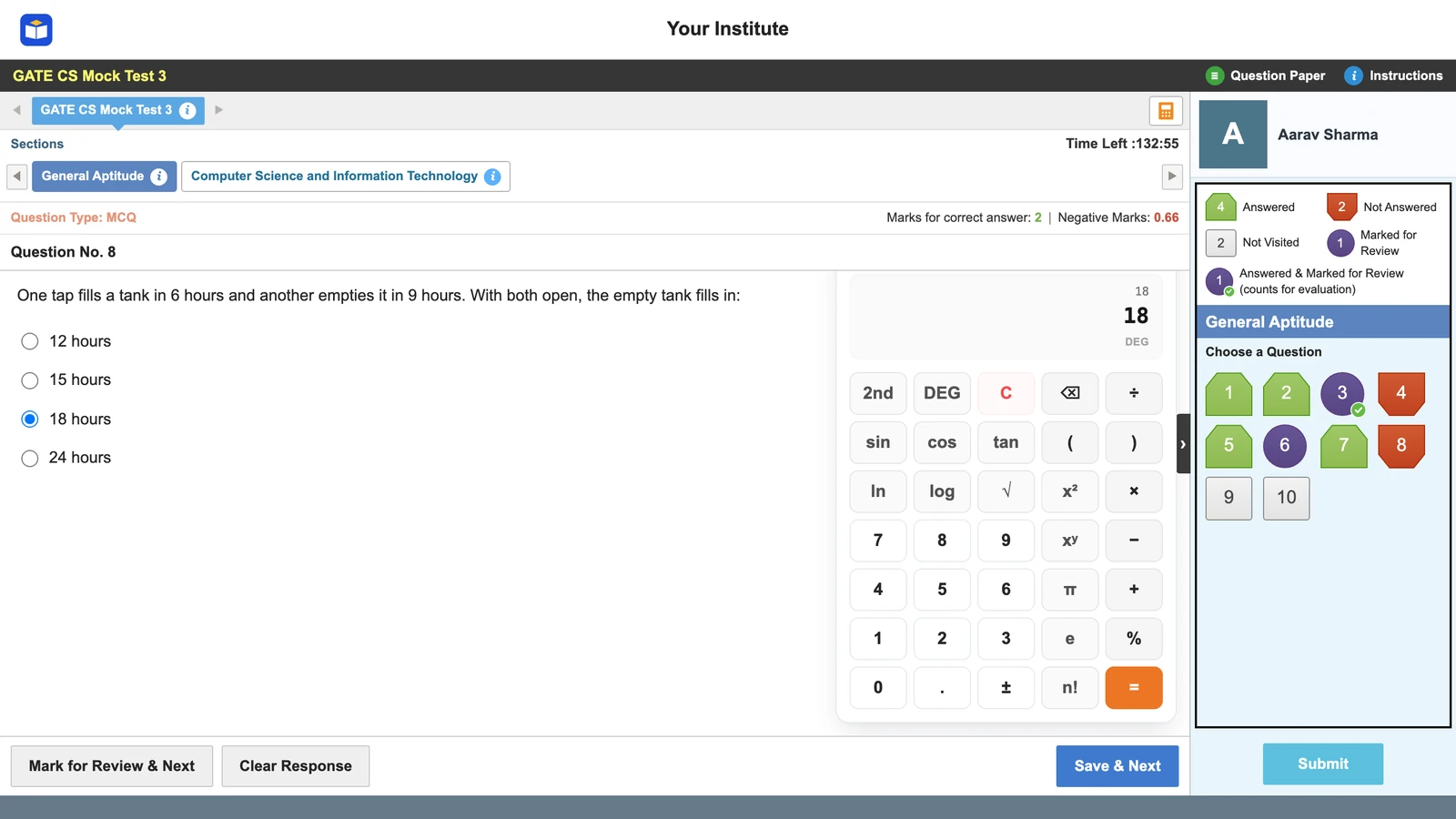
What students see on screen
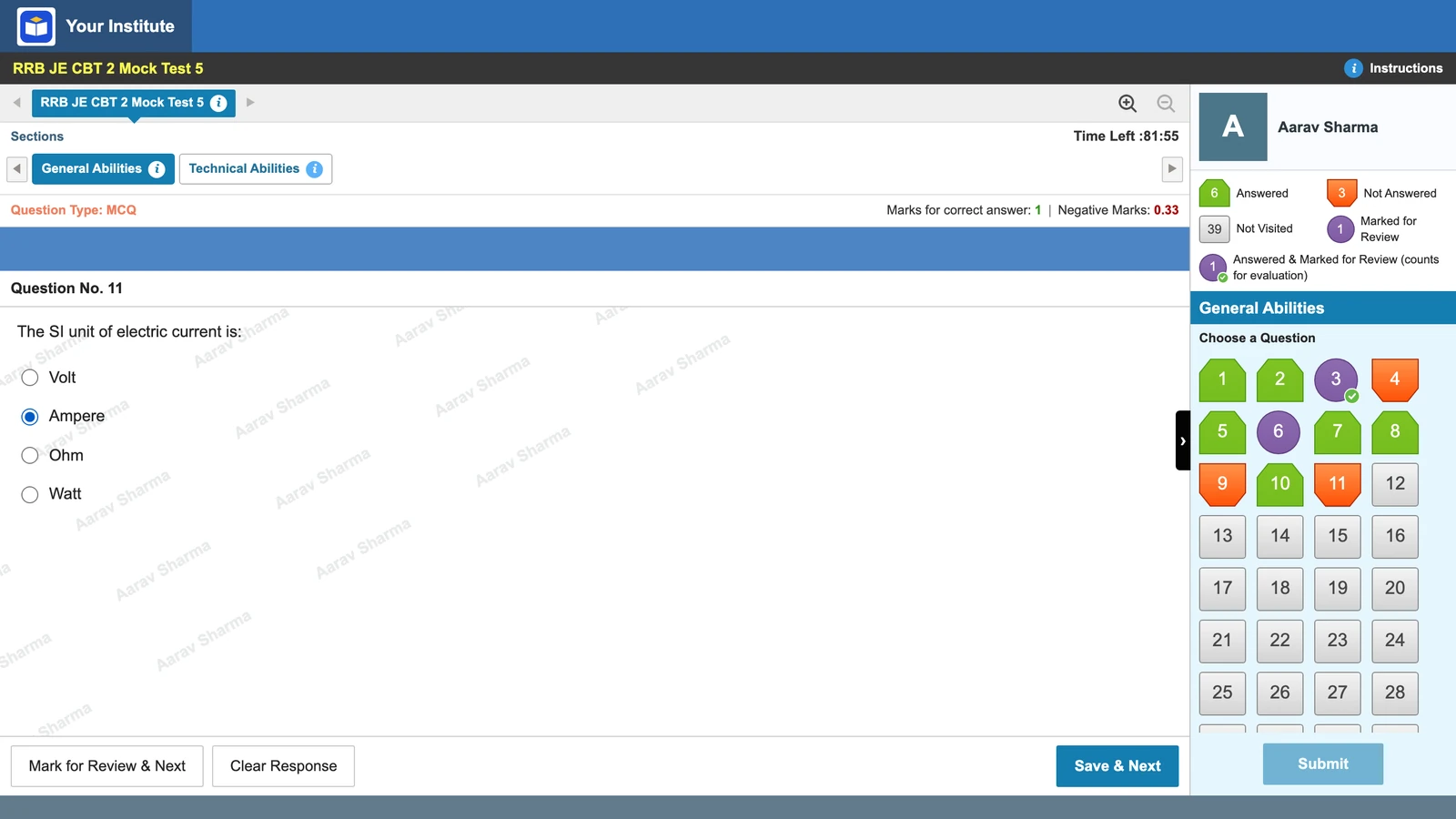
The header carries your institute’s logo and name. Below it are the section tabs and the time left. Each question shows its type and marks, for example +4 and −1. On the right is the question palette, with a legend and live counts for its five status shapes.
The buttons are Mark for Review & Next, Clear Response and Save & Next. The NTA mock layout adds Save & Mark for Review and Back / Next, as NTA’s own mock does.
Strict saving, like the real exam
This is the change students will feel most. With strict saving on, an answer counts only after Save & Next, Mark for Review & Next or Save & Mark for Review. Jump away without saving and the pick is lost.
Counted
Pick option (2) → press Save & Next → the chip turns green.
Lost
Pick option (2) → click question 12 on the palette → the pick is gone, the chip says Not Answered.
Early in the year you may want something gentler. Practice-friendly mode saves every click and always allows Submit. Use it for chapter tests, then switch strict saving on for full mocks. The Save & Next and Mark for Review rules are worth teaching in class too.
GATE and RRB JE: Submit locked until time is up
Some exams do not let a candidate finish early. The GATE 2027 brochure says the paper runs three hours, ends by itself, and candidates may not leave the hall before the scheduled end (section 7.1). It also puts a virtual scientific calculator on screen and has numerical answers keyed on a virtual keypad (sections 7 and 7.2.1). On Vacademy, only GATE style has the calculator; every style uses the on-screen keypad for numerical answers.
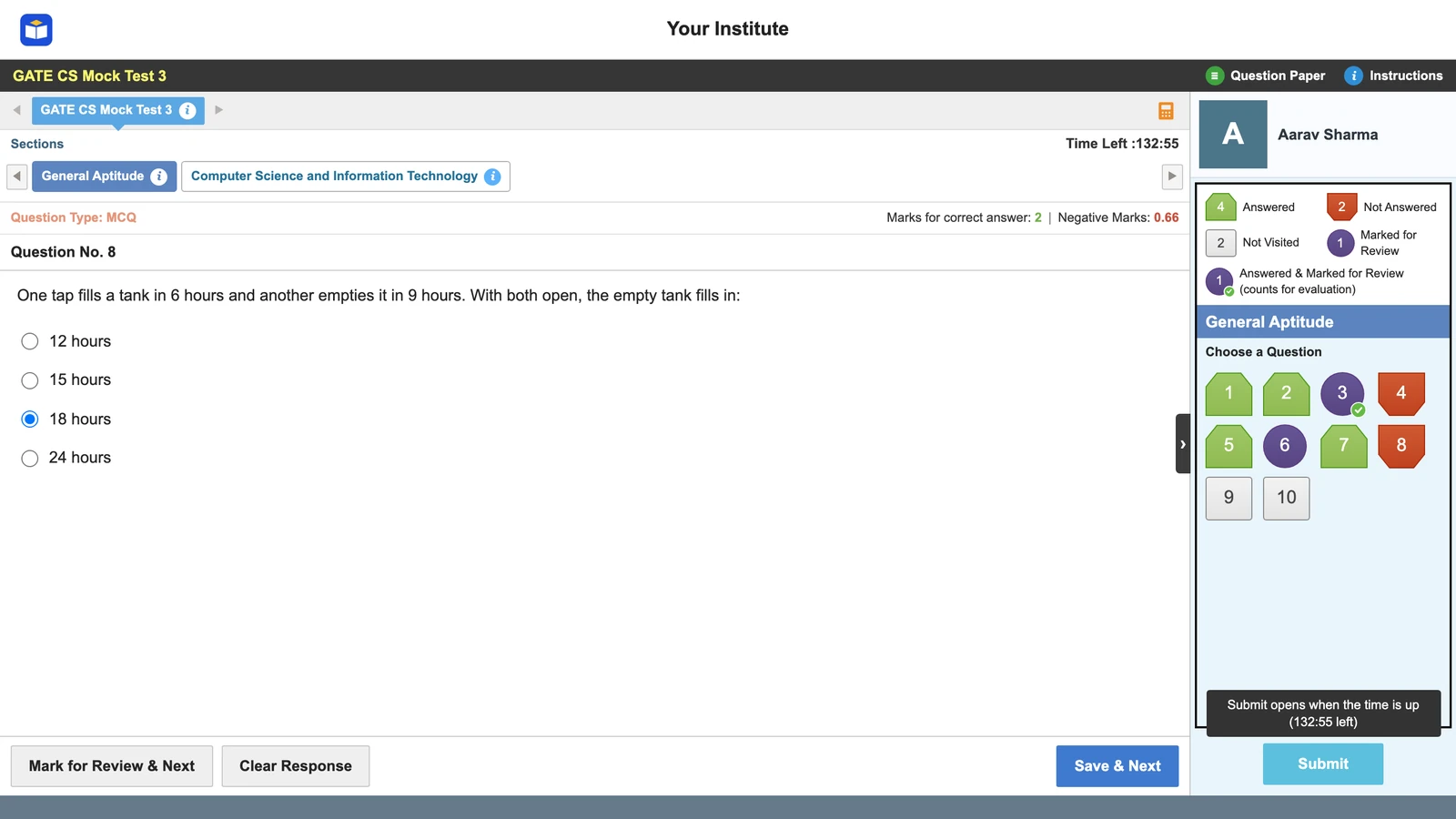
For Railway JE, RRB’s own CBT 2 mock keeps Submit locked for the whole test. The 2025 notice (RRB CEN 05/2025, pages 19–21, listed on RRB’s website) set CBT 2 at 150 questions in 120 minutes, with a third of a mark cut for each wrong answer. That is the latest notice whose exam scheme we could open; a 2026 notice (CEN 04/2026) is out, so check it for changes. A student who can always submit early never learns to use the last twenty minutes. A locked Submit teaches it without a lecture. See the RRB JE CBT 2 pattern for more.
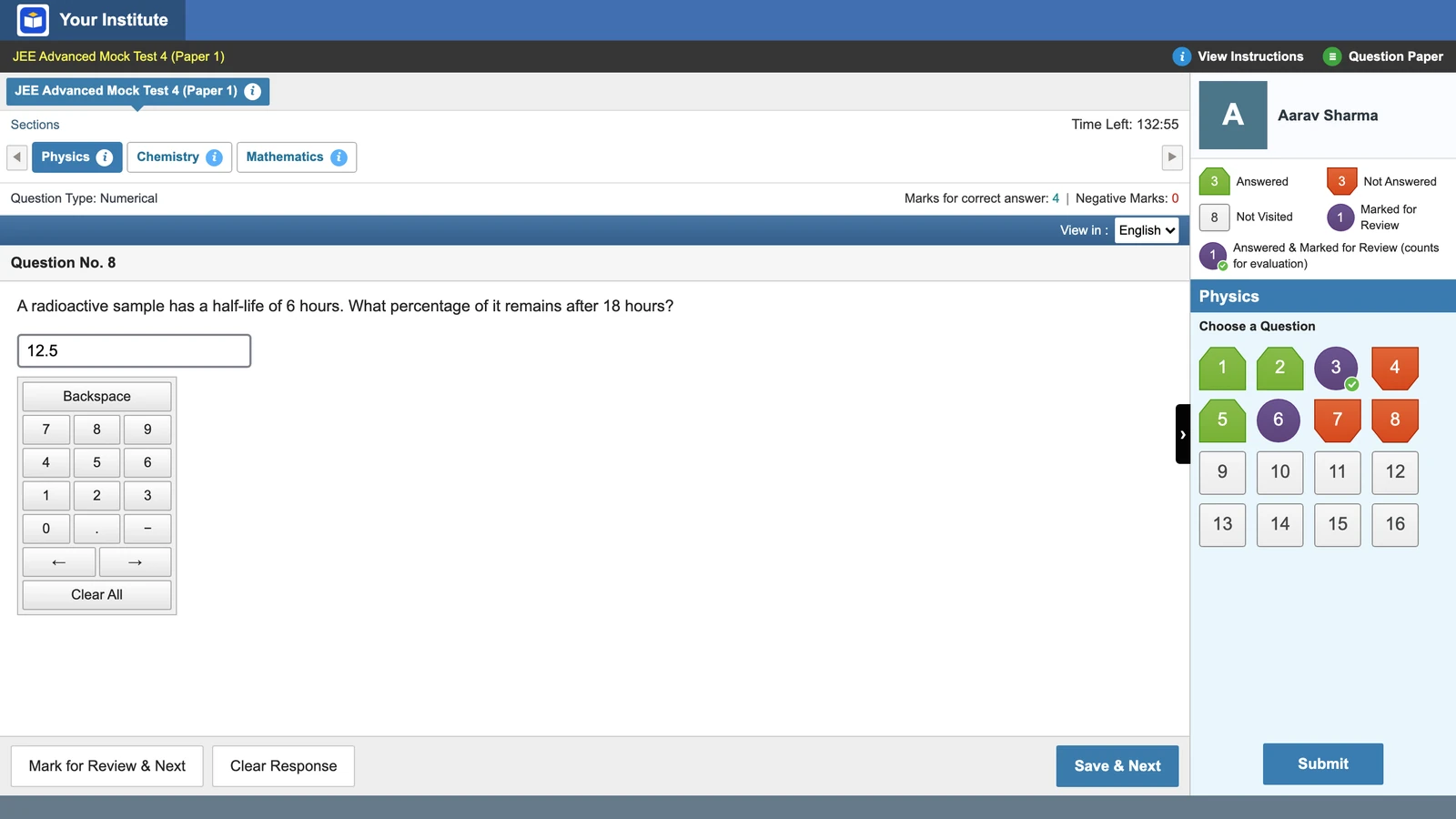
One honest note: the GATE-style calculator is our own. It is not a copy of GATE’s calculator layout, so students should also try the official one. More in GATE NAT questions and the virtual calculator.
Instructions first, Exam Summary at the end
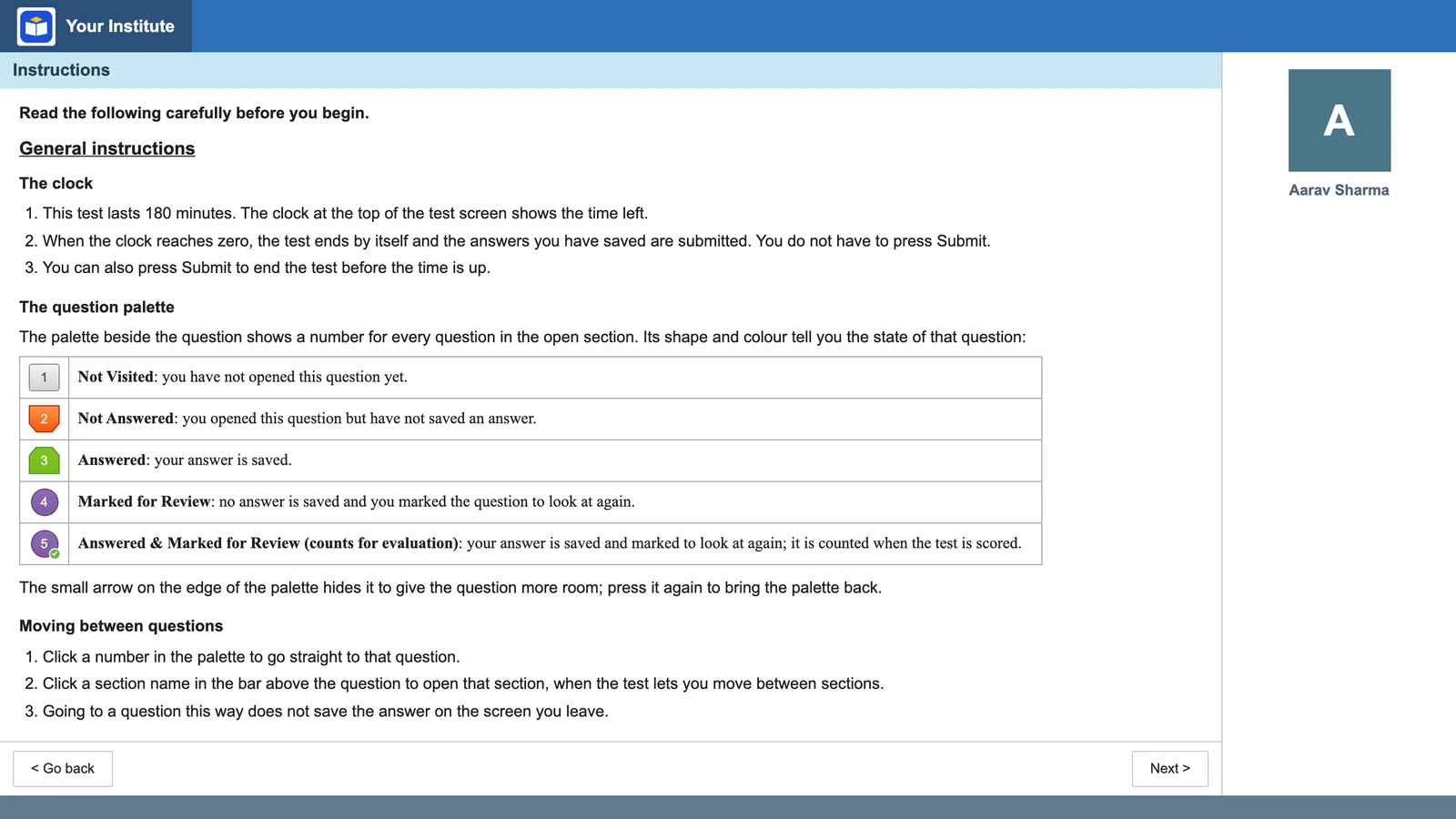
Before the clock starts, students read a two-page instructions screen in the same style, written in our own words: the clock, the palette shapes and how to move around.
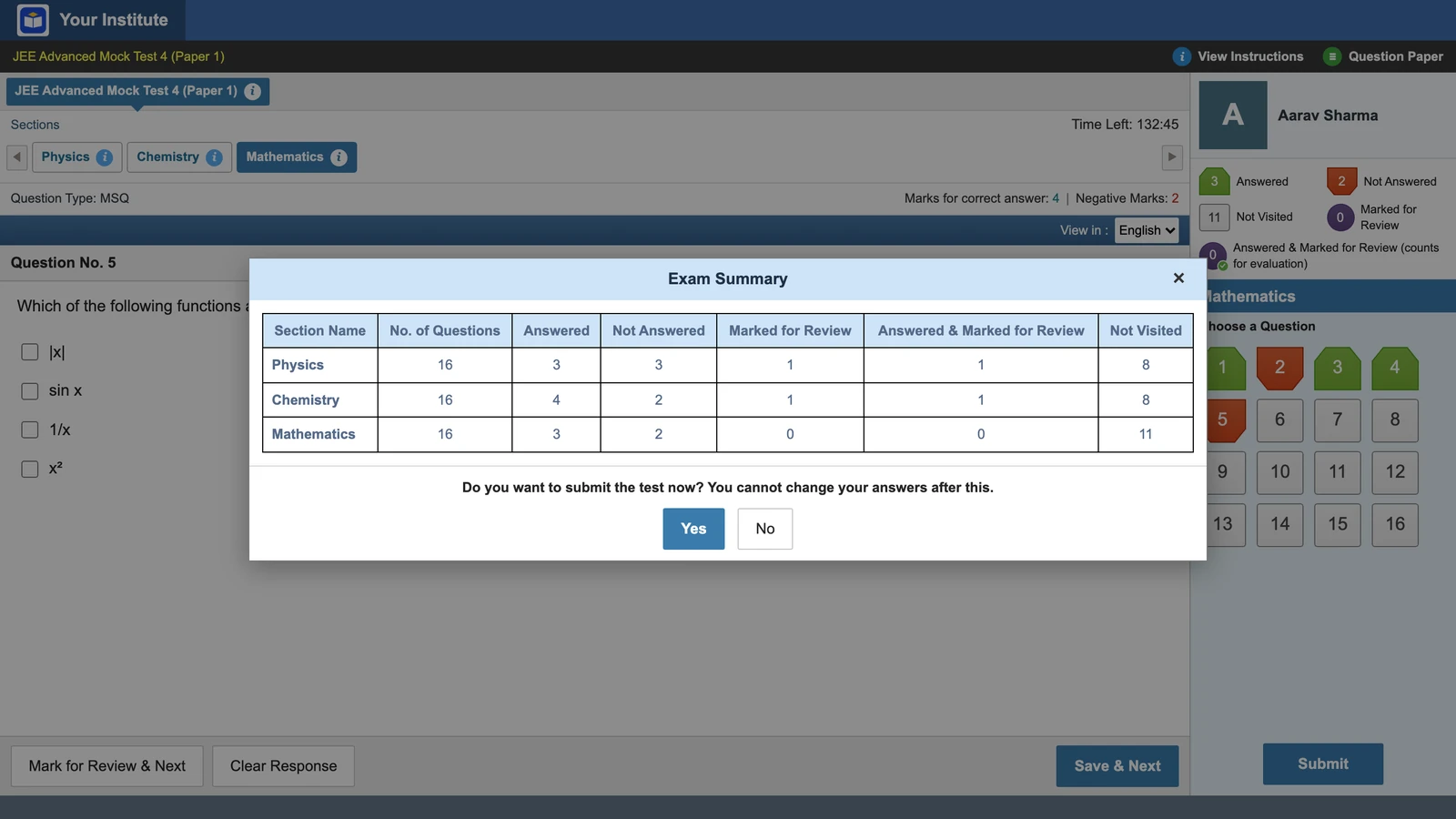
Pressing Submit first shows an Exam Summary: each section with its answered, not answered, marked and not visited counts. Students learn to read it and go back for what they skipped.
On a phone: the palette becomes a bottom sheet
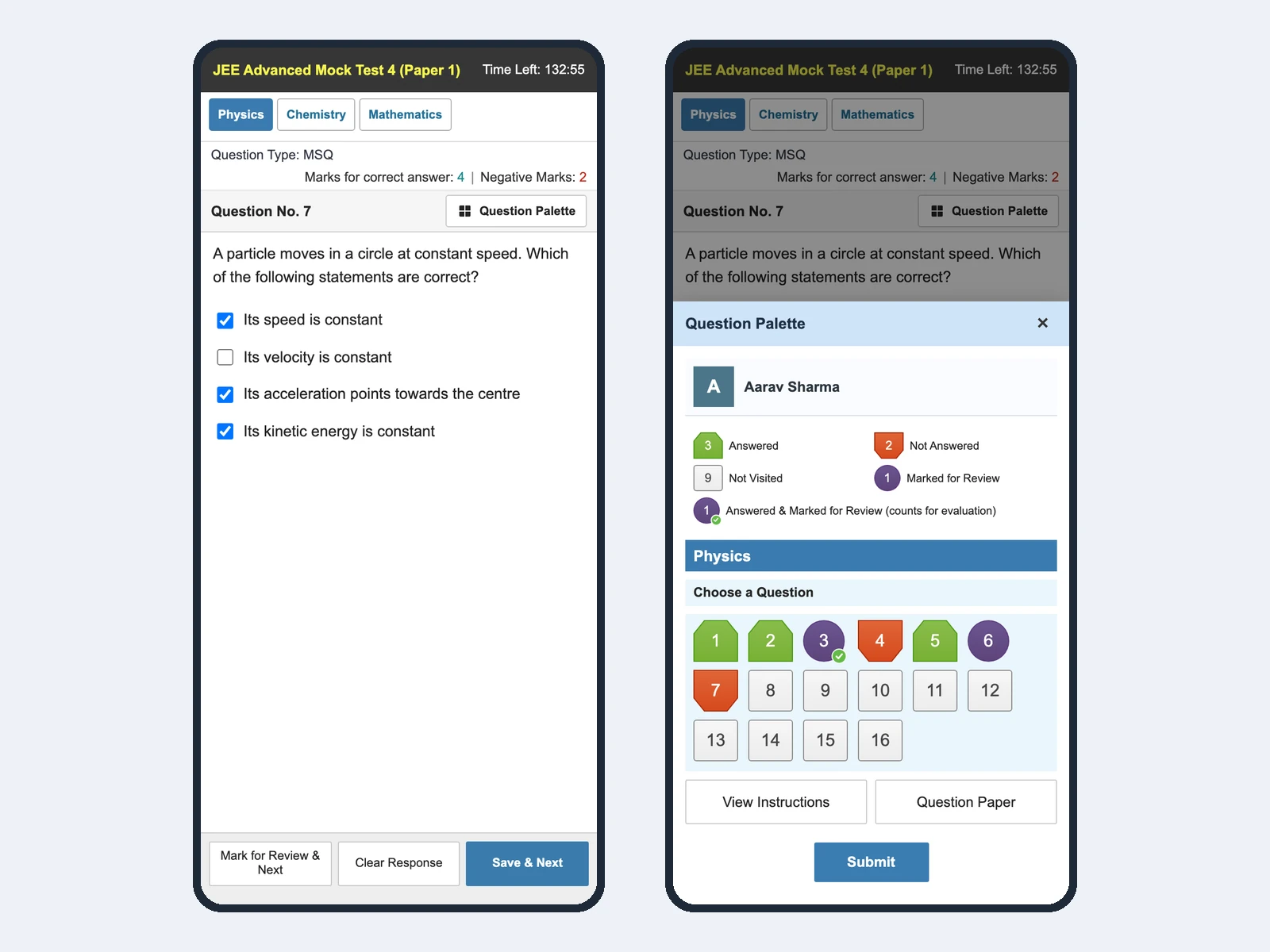
On a phone, the question fills the screen, the main buttons sit at the bottom, and the palette slides up as a sheet.
How to switch it on
For an institute, this is not decoration. Students pay for a test series to be ready for exam day, and now that readiness is a setting on the test. Everything else stays: your question bank and rank reports, auto-grading and your mix of topic-wise and full-syllabus tests.
See one of your own tests in JEE Main style
Send us one paper and we will show it on both screens.
What is not available yet
Honest limits
Exam-style screens exist for JEE Main, JEE Advanced, GATE and Railway JE only. NEET, SSC JE and international exams keep the standard screen. RRB JE style has no on-screen calculator. There is no Hindi/English switch per question yet, and no one-click setup of an exam’s sections and marking, so you set those yourself. We are not giving dates.
Vacademy copies layout and behavior only. It is not affiliated with NTA, the IITs, RRB or any exam body, and uses no exam body’s logo. “JEE Main-style” means laid out like that computer-based test, not an official screen.
Questions institutes ask
Is this the official NTA or GATE exam screen?
No. Vacademy is not connected to NTA, the IITs, RRB or any exam body, and no exam body's logo appears. We copied the layout and the exam-day rules, and the screen carries your institute's logo and name. Students should still try the official mock on the exam body's website before the real exam.
Can we use our own questions and our own test series?
Yes. The exam interface is a setting on a test, so it uses the questions you already have in Vacademy. Write them, upload a question paper, or generate them with AI, then pick the interface on step one of the test.
Does the exam-style screen work on phones?
Yes. On a phone the question fills the screen, the main buttons sit at the bottom, and the question palette opens as a sheet from the bottom. For a full three-hour mock, a laptop is still better practice, because the real exam is taken on a desktop computer.
Can students practice without strict saving?
Yes. Strict saving is on by default, but you can switch to practice-friendly mode for a test. Then every click is saved and Submit is always allowed.
Which exams have an exam-style screen today?
Four: JEE Main (with a choice of two layouts), JEE Advanced, GATE and Railway JE (RRB). Any test can stay on the standard Vacademy screen. NEET, SSC JE and international exams do not have their own screen yet.
Which exams are coming next?
We have not announced the next exams or any dates. If your institute needs a particular exam, tell us in a demo call.
Try Vacademy before your next mock
Pick an exam interface on one test, and take it once on a laptop and once on a phone.
Screens show a sample institute, a sample student and questions we wrote.