Key takeaways
- An AI course creation tool writes the first draft of a course, from a topic or your own PDF. You check it and publish it.
- The five tools here do different jobs. Coursebox and Mindsmith mainly write courses. Thinkific and Teachable mainly sell them. Vacademy writes the course and also runs the teaching: tests, batches, reports and certificates.
- Choose by what happens after the course is written. That is where most of the work, and most of the cost, sits.
A commerce coaching center in Jaipur has eight years of Accountancy notes. Two hundred and forty pages, typed up, printed, photocopied every June. Parents now ask one question at every admission: “Is there an online course?”
The notes are good. The problem is the work. Turning 240 pages into chapters, slides, short videos and a test for each chapter would take two teachers the whole summer.
This is the job AI course creation tools were built for. They write the first draft in one sitting. Your teachers then spend their time checking and improving, not typing. Below are five tools worth a look in 2026, what each is good at, and how to pick.
What Are AI Course Creation Tools?
An AI course creation tool is software that builds a course for you from a topic or a document. It plans the chapters, writes the lessons, and can add slides, videos and quiz questions. You review the draft, change what you want, and publish it.
Think of it as a very fast assistant who has read your notes. It does not know your students. You do. So the AI does the typing, and the teacher makes the calls.
Infographic 1
What an AI course tool can make for you
Lessons
Chapter plan, lesson pages and learning goals.
Slides
A full deck from one topic, ready to edit.
Videos
Scripts, explainer videos and images for each lesson.
Quizzes and tests
Questions with answers, from the lesson or a PDF.
You still do the part that needs a teacher: reading it, fixing it, and deciding what goes to students.
Top AI Course Creation Tools in 2026
These five are often compared, but they are not the same kind of product. Knowing which kind you need saves you a month of free trials.
Infographic 2
Three kinds of AI course tool
Tools that write courses
Coursebox AI, Mindsmith
Strong at turning documents into lessons. You may still need another system to run and track them.
Tools that sell courses
Thinkific, Teachable
Strong at course pages, checkout and memberships. AI helps with outlines, quizzes and learner support.
Tools that run teaching
Vacademy
Writes the course, then runs batches, tests, live classes, reports, certificates and payments.
1. Vacademy
Vacademy is a learning platform for institutes, schools, coaching centers and company training teams. Its AI Course Builder makes a full course from a topic, some text or a PDF. It works step by step, so you stay in control at each stage.
Infographic 3
How Vacademy's AI Course Builder works, in four steps
- 01
Describe
Type the course topic. Add the learners' level, the goals and any notes.
- 02
Plan
The AI suggests chapters and lessons. Rename, add or delete, then approve.
- 03
Write
The AI writes every page: text, video scripts, diagrams, code and quizzes.
- 04
Publish
Edit anything, swap in your own videos, then publish or save for review.
The outline step is where most of the value is. You see every chapter and lesson title before a single page is written. Fix the plan here, and the rest of the course follows it.
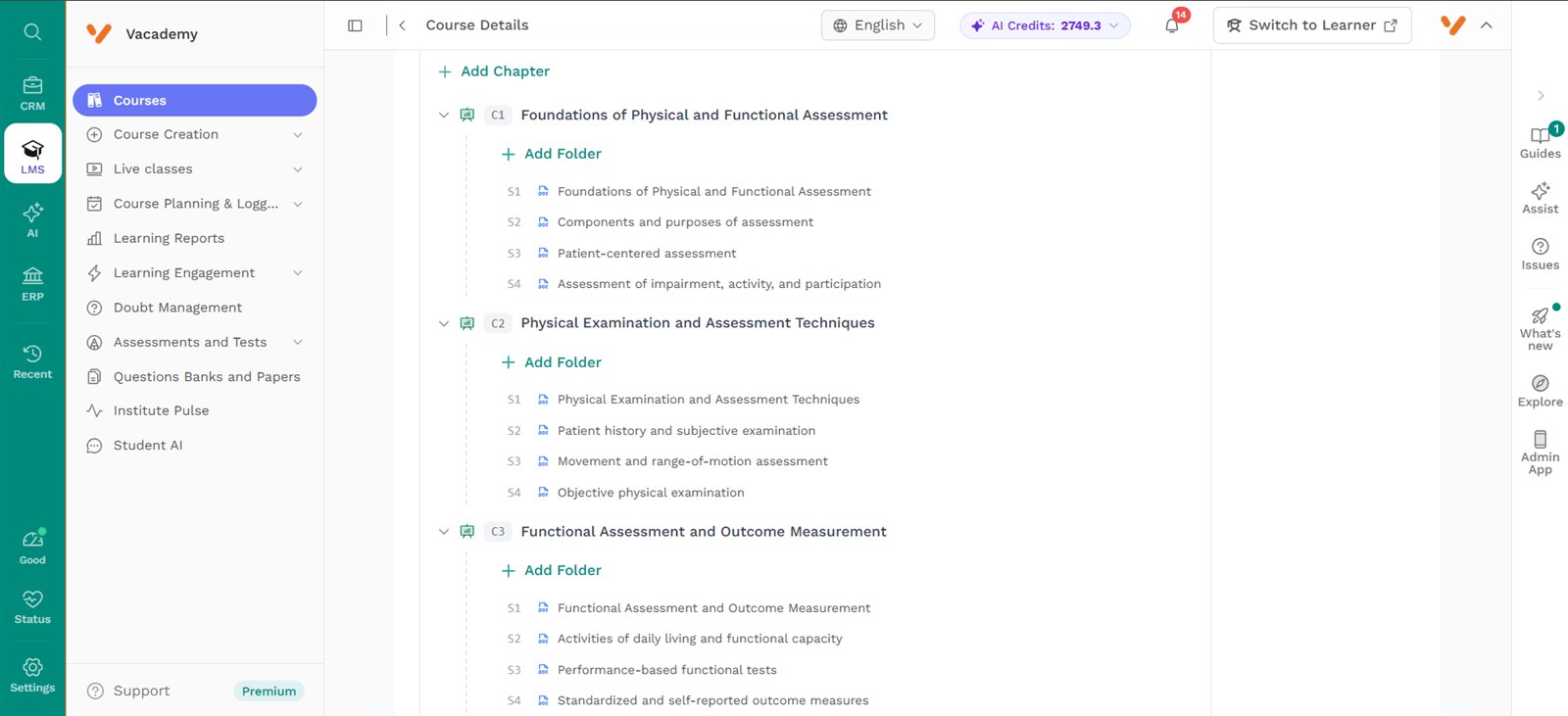
Once the pages are written, all the text stays editable. The AI-made videos and images can be made again up to two times each, or swapped for your own upload or a YouTube link. Separately, you can make a whole slide deck with AI from one topic, with quiz slides built in.
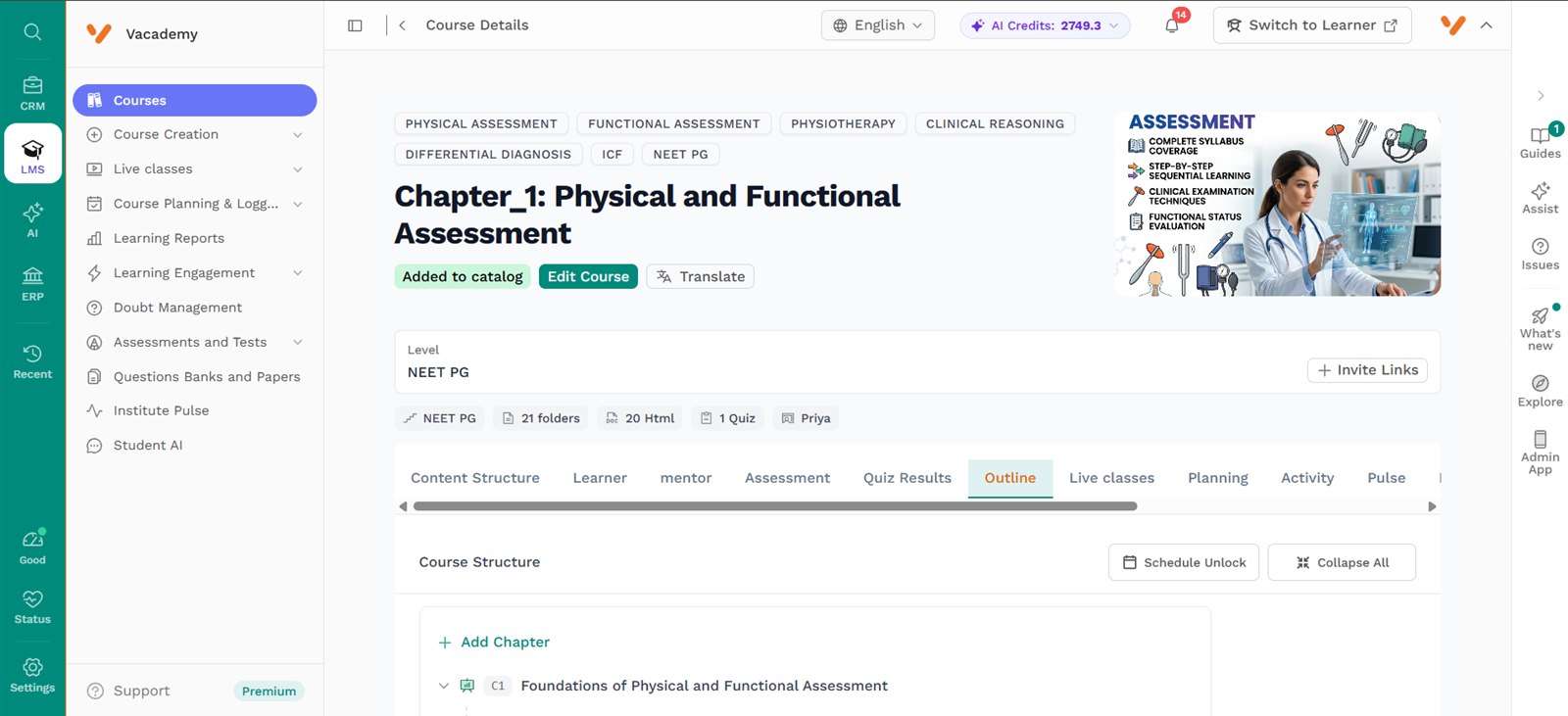
Then the course does not leave for another system. It sits next to your learners, batches, tests, live classes and reports. That is the main difference from the other tools on this list.
2. Coursebox AI
Coursebox turns a prompt or a document into a course. You can upload a PDF, Word file or PowerPoint, and it builds lessons with quizzes, avatar videos and short practice scenarios. It also offers an AI tutor that answers questions from your course.
It is aimed at training teams in areas like safety and healthcare, where people know the subject but have no designer. There is a free plan. Full learner management, learning paths and gamification sit on the Pro + LMS plan and above.
3. Mindsmith
Mindsmith calls itself an AI-native eLearning authoring tool. Its AI turns documents, slides and videos into interactive lessons. It adds AI avatar videos and voice role-plays, where an employee practices a conversation and gets coaching.
This is a tool for corporate training teams and instructional designers. It makes courses; it does not run them. You export the course into the LMS you already use. There is a free plan, and paid plans start at $39 per author a month, with 30% off for educators.
Want to see the AI Course Builder make a course from your own PDF? Bring one chapter to a 30-minute demo.
4. Thinkific
Thinkific is a platform for selling online courses, communities and memberships. Its AI helps you start: a course outline generator, AI landing pages and an AI teaching assistant that answers learners from your content. Its strength is selling: course pages, checkout and memberships. Plans start at $54 a month ($40 a month billed yearly), with a 30-day free trial and no free plan.
5. Teachable
Teachable is made for creators who sell courses, coaching and memberships. Its AI tools include a curriculum generator for the outline, a quiz generator that writes questions from your course material, lesson summaries, and subtitles with translation.
The Starter plan is $39 a month ($29 billed yearly), but it takes a 7.5% fee on each sale. The higher plans do not. If you want to compare the two selling platforms in detail, read Vacademy vs Teachable vs Thinkific.
Comparison
The five tools side by side
Key Features to Look for in an AI Course Creator
Every tool's website looks good. The demo is where you find out. Here are six features to check, and one question to ask about each.
AI course generation
A full course from one prompt, not just a list of chapter names.
Ask in the demo: Can I see a whole course built from my topic in the demo?
Document-to-course
Your notes and old PDFs become lessons, so years of work are not wasted.
Ask in the demo: Which file types can I upload?
AI video
Short lesson videos without a camera, a studio or an editor.
Ask in the demo: Can I replace an AI video with my own or a YouTube link?
Quizzes and tests
Questions with answers, marked automatically when students submit.
Ask in the demo: Do quiz results show up in a report I can use?
LMS and reports
Progress by student and by batch, so you know who is falling behind.
Ask in the demo: Can reports go to students or parents on WhatsApp?
Editing
Every line the AI writes should be easy to change.
Ask in the demo: What can I edit after the course is built, and what is locked?
Benefits of AI Course Creation Tools
Start with simple arithmetic. A course of 10 chapters with 5 lessons each is 50 lesson pages. Add slides for each lesson and a quiz for each chapter, and a teacher has 110 pieces of work to make by hand.
Infographic 4
One 10-chapter course, by hand vs with AI
By hand
110
pieces to write from a blank page
50 lesson pages + 50 slide sets + 10 chapter quizzes
With AI
1 + 110
one prompt, then 110 drafts to read and fix
Reading and fixing a draft is much quicker than writing one.
- Faster content. The first draft of a full course arrives in one sitting, not over a summer.
- Less manual work. No retyping old notes, no writing every quiz question by hand.
- More courses from the same team. The same two teachers can build a Class 11 course and a Class 12 course in one term.
- Personalized learning. Homework and tests can go to one student, a whole batch or a small group, based on their level.
- Easier assessments. Quizzes come with the course, and results go straight into each student's report.
How to Choose the Right AI Course Creation Tool
Ask one question first: what happens after the course is written? The answer picks the tool for you.
For teachers and schools
You want your own lessons online, with tests and reports for each class. Pick a tool that keeps the course, the students and the results in one place.
Look at: Vacademy
For coaching institutes
You run batches, weekly tests and fee collection, and parents ask for updates. A course writer on its own will not cover this.
Look at: Vacademy
For businesses training staff
If you already have an LMS and only need better content, a course writer like Mindsmith or Coursebox fits. If you need the LMS too, look at Vacademy.
Look at: Mindsmith, Coursebox or Vacademy
For online course creators
If selling one course to the public is the whole plan, Teachable and Thinkific are built for that. If you teach live batches too, compare Vacademy.
Look at: Teachable, Thinkific or Vacademy
Want to see it in real use? Read how a publisher uses the AI Course Builder to turn a book into a course, or how training teams run Vacademy.
Why Choose Vacademy for AI Course Creation?
Back to the Jaipur coaching center. The notes become a course in Vacademy. The same evening, the chapter test goes to the batch, the marks come back on their own, and the report goes to parents on WhatsApp. One login, not four.
AI Course Builder
A full course from a topic, text or PDF: outline, lesson pages, video scripts, diagrams, code and quizzes.
More AI tools in the same login
AI slide decks with quiz slides, question papers from a PDF or a recorded lecture, and lecture plans from a prompt.
Tests and reports
Tests and homework for a student, a batch or a group, with progress reports you can send on email or WhatsApp.
A full LMS
Courses from two to five levels deep, batches, sessions, live classes on Zoom, Google Meet or YouTube Live.
Delivery and admin
Certificates issued automatically when a learner finishes, a course catalogue, and payments.
Plans start from ₹3,000 a month. See the whole flow, from a topic to a published course with a test, in one demo.
Frequently Asked Questions
What is an AI course creation tool?
It is software that writes the first draft of a course for you. You type a topic or upload your notes, and it builds the chapter plan, the lesson pages, and often the slides, videos and quiz questions too. You then read it, edit it and publish it to your learners.
Can AI create a complete online course?
It can create a complete first draft. In Vacademy, you type a course prompt, approve or change the outline the AI suggests, and the AI then writes every page, with text, video scripts, diagrams and quizzes. A teacher still reads it and makes changes before it goes to students.
Can AI create courses from PDFs?
Yes. Most tools in this list can use an uploaded document. Vacademy can build a course from a topic, from text you paste, or from a PDF. Coursebox takes PDF, Word and PowerPoint files, and Mindsmith turns documents and slides into lessons.
Can AI generate quizzes?
Yes. Vacademy adds quizzes while it builds the course, and its Vsmart tools can also turn a PDF, Word file, PowerPoint or even a recorded lecture into a question paper. Teachable, Coursebox and Mindsmith also offer AI quiz or assessment features.
Which features should businesses look for in an AI course creator?
Look for course generation from your own documents, quizzes that are marked automatically, progress reports by team or batch, and certificates issued on completion. If you train staff across branches, check that one platform can run all of it, so you do not pay for three tools.
What is the best AI course creation tool for coaching institutes in India?
Pick a tool that does more than write the course. A coaching institute also needs tests, batch-wise reports, parent updates and fee collection. Vacademy does all of these in one place, and plans start from ₹3,000 a month.
Your Notes Are Already a Course
AI has changed where a teacher's time goes. Less of it goes on typing lessons and quiz questions, and more on checking, teaching and following up with students.
Bring one chapter to a demo, and watch the AI Course Builder turn it into lessons, slides and a quiz.
Explore the Vacademy AI Course Builder