Why Most Live Classes Feel Like Chaos (And How to Fix It)
Here's what running a live class actually looks like for most educators today. You copy the Zoom link and paste it into your WhatsApp batch group. Then the other batch group. Then Telegram. Then someone messages you saying they didn't get it, so you send it again. Class starts, and you spend the first five minutes figuring out who's here.
After the session, you open a spreadsheet, try to remember who you saw join, and manually mark attendance. Two students show up late and you're not sure whether to count them or not. One person messages you the next day asking for the recording — and you realize you forgot to save it.
This isn't a teaching problem. It's an infrastructure problem. Vacademy replaces that chaos with one dashboard that handles scheduling, reminders, attendance, and recordings automatically — so you can focus entirely on the class itself.
Set Up Your First Live Class in 3 Steps
You don't need to be technical. The entire setup takes under five minutes.
Pick Your Platform
Choose Zoom, Google Meet, or YouTube Live depending on your session size and style. Link your existing account once and you're done.
Set Date, Time & Recurrence
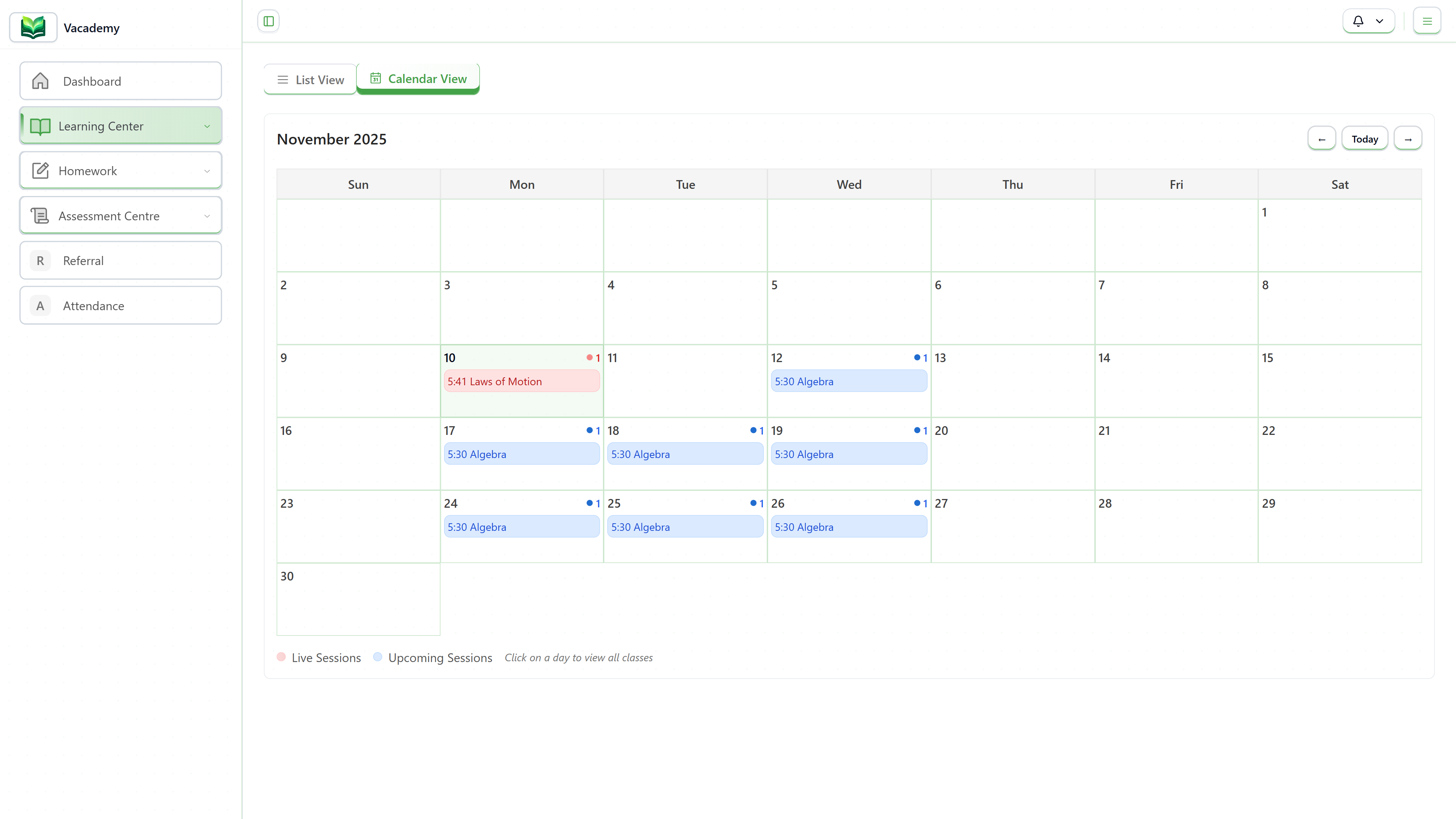
Schedule a one-time session or set a recurring pattern — daily, weekly, custom. Vacademy handles multi-timezone display so every student sees the right time.
Hit Publish — Vacademy Handles the Rest
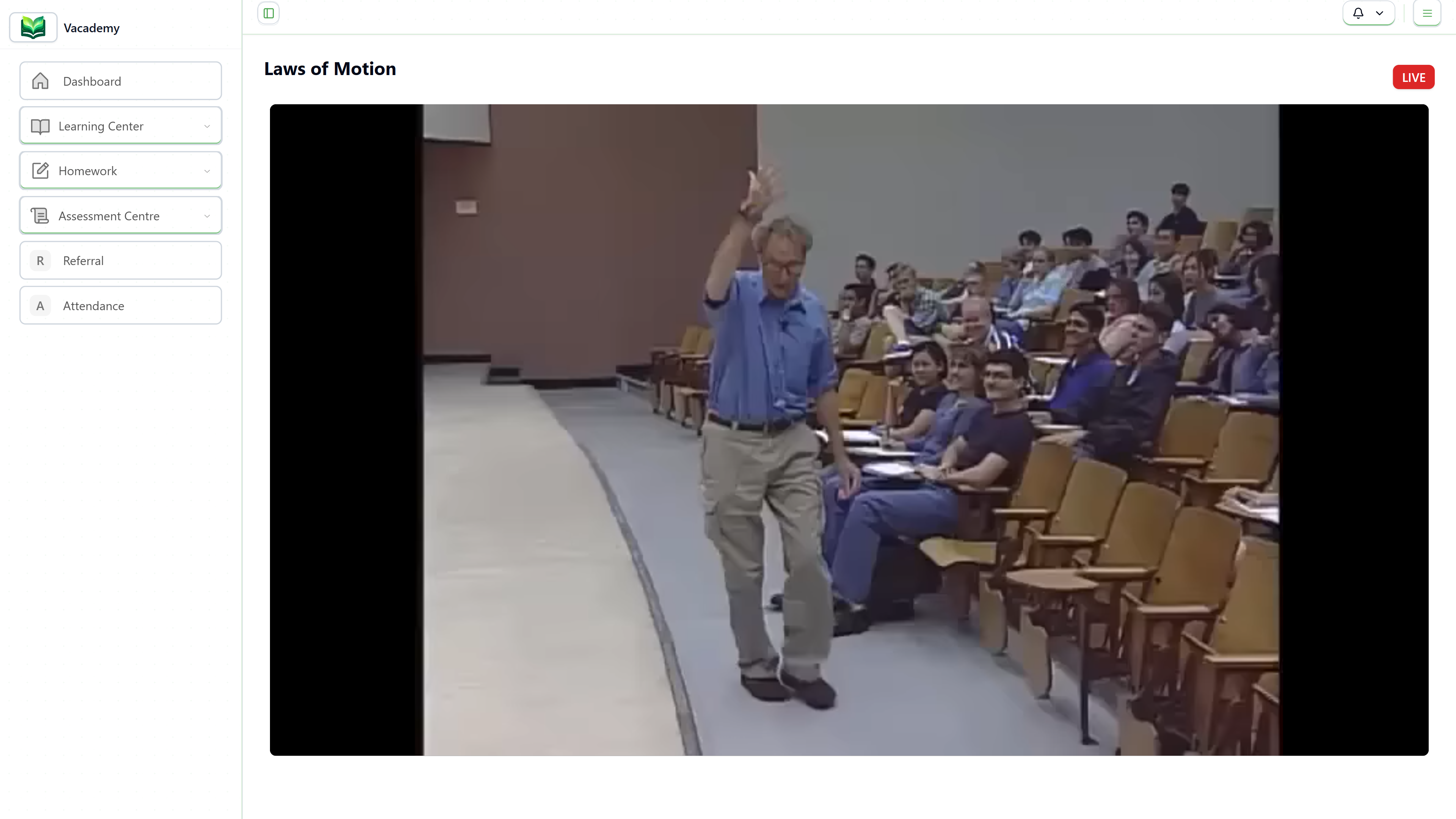
The session appears in every enrolled student's dashboard instantly. Reminders go out automatically. Attendance starts tracking the moment class begins.
Schedule Once, Repeat Forever
If you run a class every Monday at 7 PM, you shouldn't have to manually create that session every single week. With Vacademy's recurring session feature, you set the pattern once and the platform takes care of every future occurrence automatically.
You can mix and match too — set up recurring weekly theory sessions and schedule one-off doubt-clearing sessions as needed. Everything shows up cleanly in the same calendar, for both you and your students.
- One-time or recurring sessions — your choice
- Public or private sessions with access control
- Supports Zoom, Google Meet, and YouTube Live
Your Students Never Miss a Join Link
Here's something that frustrates students more than most educators realize: hunting for the class link in a flood of WhatsApp messages right before a session starts. It's stressful, and often they give up.
With Vacademy, every student has a personal dashboard where all upcoming live sessions appear with a single "Join Now" button. They can switch between list view and calendar view — whatever feels natural to them. The join link is always right there, no scrolling required.
The calendar also syncs with the student's timezone automatically, so if you teach students across different cities or countries, they all see the correct local time for every session. No more confusion about IST vs. GMT.
Attendance Tracks Itself
Manual attendance is one of those tasks that sounds simple until you actually do it at scale. With 50+ students joining and leaving at different times, it's nearly impossible to track accurately while also teaching.
Vacademy records who joined each session, exactly how long they stayed, and automatically marks anyone who didn't show up as absent. By the time your class ends, the full attendance report is already waiting for you — no spreadsheet, no guesswork.
This data becomes incredibly useful over time. You can spot patterns — which sessions have the highest drop-off, which students are consistently missing — and take action before it becomes a problem.
Keep the Conversation Going After Class
Learning doesn't stop when the session ends. Students often have questions that only surface once they sit down to practice — an hour after class, or the next morning.
Vacademy's doubt management feature lets students raise questions directly within the platform, tagged to a specific session or topic. You get a clean, organized inbox instead of scattered DMs across WhatsApp, Instagram, and email.
You can respond when it suits you, and the answers are visible to the whole batch — which means common doubts only need to be addressed once. Over time, this builds a useful Q&A archive that new students can search before asking.
Zoom, Google Meet, or YouTube Live — Which Should You Use?
All three platforms work seamlessly with Vacademy. Here's a quick breakdown to help you pick the right one for your teaching style.
Zoom
Best for interactive, small-to-medium classes where you want two-way communication, breakout rooms, and strong host controls. Great for coaching, tutoring, and workshop-style teaching.
- Breakout rooms
- Mute / unmute controls
- Up to 1000 participants
- Private or invite-only sessions
Google Meet
The easiest option if you're already in the Google Workspace ecosystem. No downloads needed for students, works right in the browser. Ideal for academic institutions and everyday batch classes.
- No app install for students
- Google Calendar sync
- Clean, minimal interface
- Works for 100–1000 participants
YouTube Live
Perfect for large open sessions, free community classes, or public webinars where you don't need two-way interaction. The stream is automatically recorded on YouTube, making it instantly available for replay.
- Unlimited viewers
- Auto-recorded on YouTube
- Public or unlisted
- Great for large webinars
What Happens After Every Class
The class is over, but Vacademy is still working for you. Here's what happens automatically in the background the moment you end the session.
Ready to run classes without the chaos?
See exactly how Vacademy's live class system works for your use case — in a 30-minute live demo with our team.
What you get from day one:
- Automatic reminders via email & WhatsApp
- Zero-effort attendance tracking
- Organized doubt management inbox
Frequently Asked Questions
Can I use my existing Zoom or Google Meet account?
Yes, absolutely. Vacademy connects to your existing Zoom or Google Meet account. You don't need to create anything new — just link your account once in settings, and all your live sessions are automatically pushed there. The meeting link is handled by Vacademy from that point on.
How do students get notified about upcoming classes?
Vacademy sends automated reminders via both email and WhatsApp before every session. You can configure how far in advance reminders go out. Students also see all upcoming classes in their personal dashboard with a live countdown — so there's no excuse for missing a class.
Can I record live classes automatically?
Recording depends on the platform you choose. For Zoom and Google Meet, the recording happens inside those apps (based on your plan). For YouTube Live, the stream is recorded on YouTube automatically. Once recorded, Vacademy organizes those recordings by course and batch so students can revisit them from their dashboard without any manual upload from your side.
What if a student misses a class?
Vacademy automatically marks absent students in the attendance report. You can then share the recording link with them directly through the platform. The doubt management feature also lets them raise questions even after the session is over, so they can catch up without feeling left behind.
Can I run classes for multiple batches simultaneously?
Yes. You can create separate sessions for different batches running at the same time. Each batch gets its own schedule, reminders, and attendance tracking. Students only see the sessions relevant to their batch — so there's no confusion between groups.