Walk into any modern online academy and ask the founder how their stack works. You will hear something like this. Zoom for live classes. Google Sheets for attendance. WhatsApp for reminders. Razorpay for fees. Mailchimp for newsletters. Notion for the course catalogue. A separate quiz tool. A separate doubt forum. And a folder of CSV exports that someone reconciles every Sunday night.
Each individual tool is fine. The problem is what happens when you add them up. The stack works against the team. Operations get heavier with every new learner. Reporting becomes a part-time job. Learners feel the seams between apps and trust drops. This is the multiple tools problem, and it is the silent reason most online academies plateau.

Six Tabs Open Before the First Class Even Starts
This is what most educators look like ten minutes before a live session. One tab to send the reminder, one to share the link, one to mark attendance later, one to track payments, one to message a parent and one to upload yesterday's recording. None of these tools were designed to talk to each other, so the educator becomes the integration layer.
What Tool Sprawl Actually Costs You
The license fees are the visible cost. The real cost is everything else.
Context Switching Tax
Educators lose hours every week jumping between Zoom, Sheets, WhatsApp and Razorpay just to find one learner's status.
Data Silos
Each tool holds a fragment of the truth. When the data lives in different apps, no one has the full picture of a learner.
Broken Learner Experience
Learners get a Zoom link in WhatsApp, a payment link in email and a course link in another portal. The brand experience falls apart.
Tool Subscription Bloat
Five to ten paid tools at $20 to $200 each adds up fast. Most academies overspend on overlapping features.
Manual Work That Never Ends
Reminders, attendance, follow-ups and reports all become someone's manual job because the tools do not talk to each other.
Slow, Painful Scaling
Every new batch, region or product means new spreadsheets, new automations and another tool added to the stack.
What Your Stack Looks Like Before and After Vacademy
The same nine jobs that usually take nine separate tools live inside one platform.
| Job to Be Done | Typical Stack | Vacademy |
|---|---|---|
| Live Classes | Zoom or Google Meet, scheduled manually | Native Zoom, Meet and YouTube Live with auto-scheduling |
| Course Hosting | Google Drive, YouTube unlisted or a separate LMS | Built-in course builder with lessons, slides, video and quizzes |
| Payments and Subscriptions | Razorpay, Stripe and a spreadsheet of who paid | Built-in payments, subscriptions, bulk billing and renewals |
| Lead Tracking and CRM | Notion, Airtable or a Google Sheet | Built-in CRM with lead capture, segmentation and automation |
| Email and WhatsApp Campaigns | Mailchimp plus manual WhatsApp broadcasts | Email and WhatsApp campaigns triggered by learner activity |
| Attendance | Manually marked from Zoom or Meet reports | Automated live attendance tracking, exportable reports |
| Doubt Resolution | WhatsApp groups and unmonitored DMs | Structured doubt module routed to the right educator |
| Reports and Analytics | Pivot tables across exports from each app | Real-time dashboards on engagement, performance and revenue |
| Mobile Experience | Asking learners to install three different apps | One white-labelled mobile app under your brand |
Live Classes Without Five Browser Tabs
When you schedule a live class inside Vacademy, you are not just creating a Zoom link. You are setting up reminders, syncing it to learner calendars in their local time zone, opening attendance tracking and connecting it to the right batch. The entire pre-class checklist disappears into a single form.
One Place for Content, Quizzes and Lesson Plans
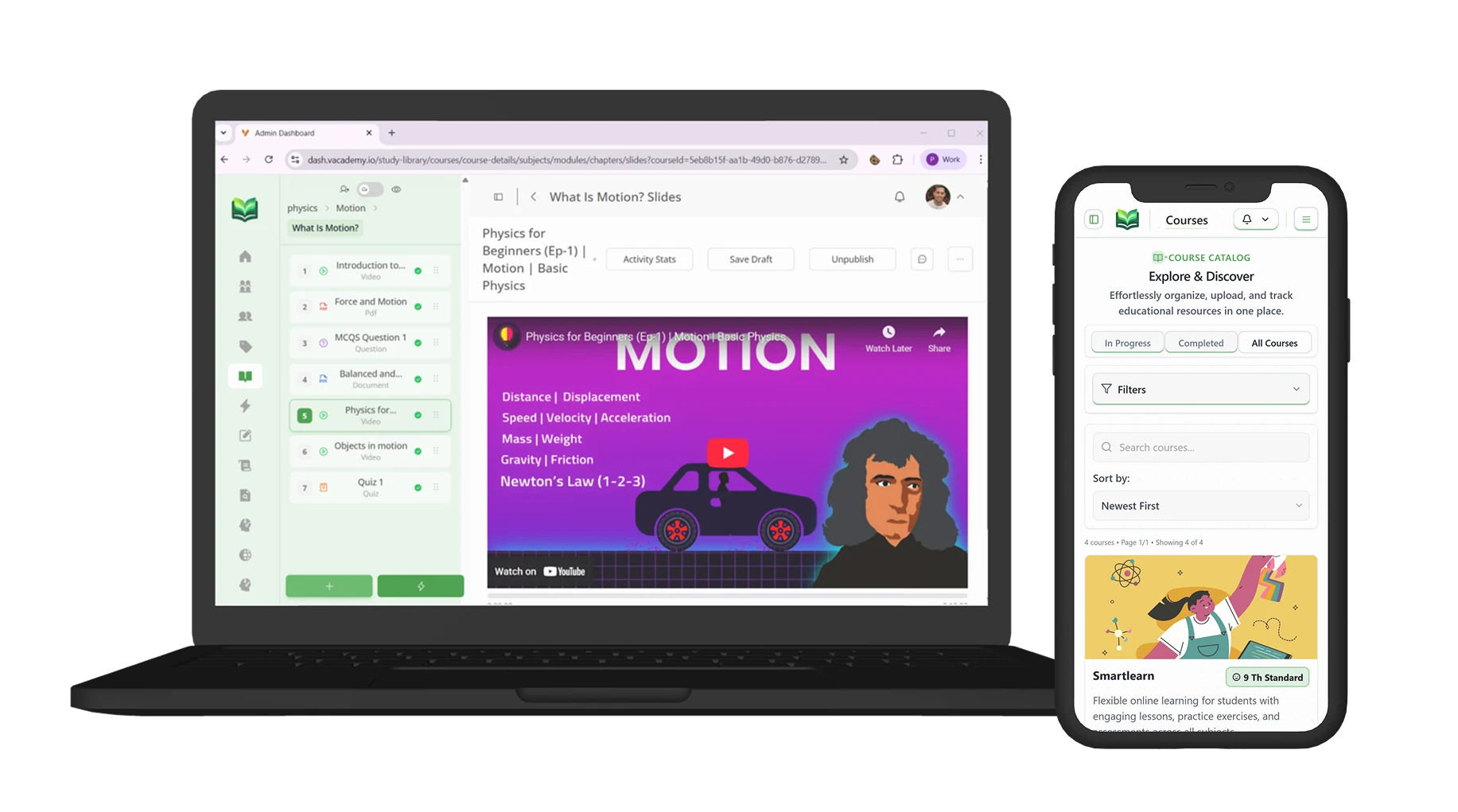
No more uploading videos to YouTube, slides to Drive, quizzes to a separate quiz tool and notes to Notion. Vacademy hosts every learning artefact in one structured course. Vsmart AI can even generate the first draft from a PDF, audio recording or simple topic prompt, so building a course feels like editing instead of starting from scratch.
What You Unlock When the Tools Stop Fighting
A Single Source of Truth
Every learner's enrolment, payment, attendance, performance and engagement live in one record. When a parent calls or a corporate buyer asks for a report, you have the answer in seconds.
Real Automation, Not Just Zaps
Because the data lives in one place, you can automate end to end flows. A missed class can trigger a WhatsApp nudge, a recap email and a recommended practice quiz without anyone touching a thing.
A Cleaner Learner Experience
Learners log into one branded portal or mobile app. Live classes, lessons, fees, doubts and progress sit side by side. No more chasing links across WhatsApp, email and Drive.
Scaling Without New Tools
Adding a new batch, a new course or a new region does not mean adding another spreadsheet. The same Vacademy setup that ran 50 learners runs 50,000 with the same workflows.
How to Audit Your Own Stack This Week
Before talking to any vendor, do this short audit. It takes about thirty minutes and almost always surprises the team.
- 1List every tool used in the last 90 days to deliver, manage or sell your courses. Include free tools and personal accounts.
- 2Next to each tool, write the monthly cost and the number of hours per week your team spends operating or reconciling it.
- 3Mark the tools whose data needs to flow into another tool to give you a useful answer. These are your silos.
- 4Add up the licence cost, then add the labour cost of the manual reconciliation. The total is what tool sprawl actually costs you. Most academies are stunned by it.
Trade Six Tools for One Learning OS
Walk us through your current stack and we will show you exactly which parts of Vacademy replace which apps. Most teams cut their tool count in half within the first month.
Frequently Asked Questions
We are happy with Zoom and WhatsApp. Do we really need a unified platform?
Zoom and WhatsApp are great tools. The problem is that everything around them, attendance, fees, reminders, reports, lead tracking, becomes manual work. A unified platform does not replace your favourite tools, it removes the manual layer between them and gives you a single source of truth.
What tools does Vacademy typically replace?
Most academies replace a separate LMS, a CRM, a payments dashboard, a quiz tool, a forum or doubt app, an email or WhatsApp marketing tool and at least one operational spreadsheet. Live class providers like Zoom or Google Meet are not replaced, they are integrated.
Will my learners need to learn a new app?
Learners get a single branded portal and a white-labelled mobile app. They do not see the underlying complexity. From their side, the experience becomes simpler, not harder, because they no longer have to track links across WhatsApp, email and Drive.
We have years of data in our existing tools. Can we move it?
Yes. Vacademy supports CSV bulk import for learners, courses and historical records. The team helps with migration playbooks so that you can switch without losing learner history or progress.
How does the unified approach affect cost?
Most teams find that one Vacademy plan costs less than the combined monthly bill for the LMS, CRM, quiz tool, forum, automation tool and payment add-ons they were already paying for. The bigger saving is in operational hours, which usually pays for the platform several times over.