Executive Summary
An assessment platform is judged on the exam you cannot run on it. The weekly objective mock is easy; the subjective term paper, the coding test and the Sunday hall exam on OMR sheets are where most institutes end up with a second tool, a separate question bank and results that arrive a week late. This is a walk through one assessment engine that handles authoring, delivery, invigilation, grading and results for all of those formats — and what each one actually involves in practice.
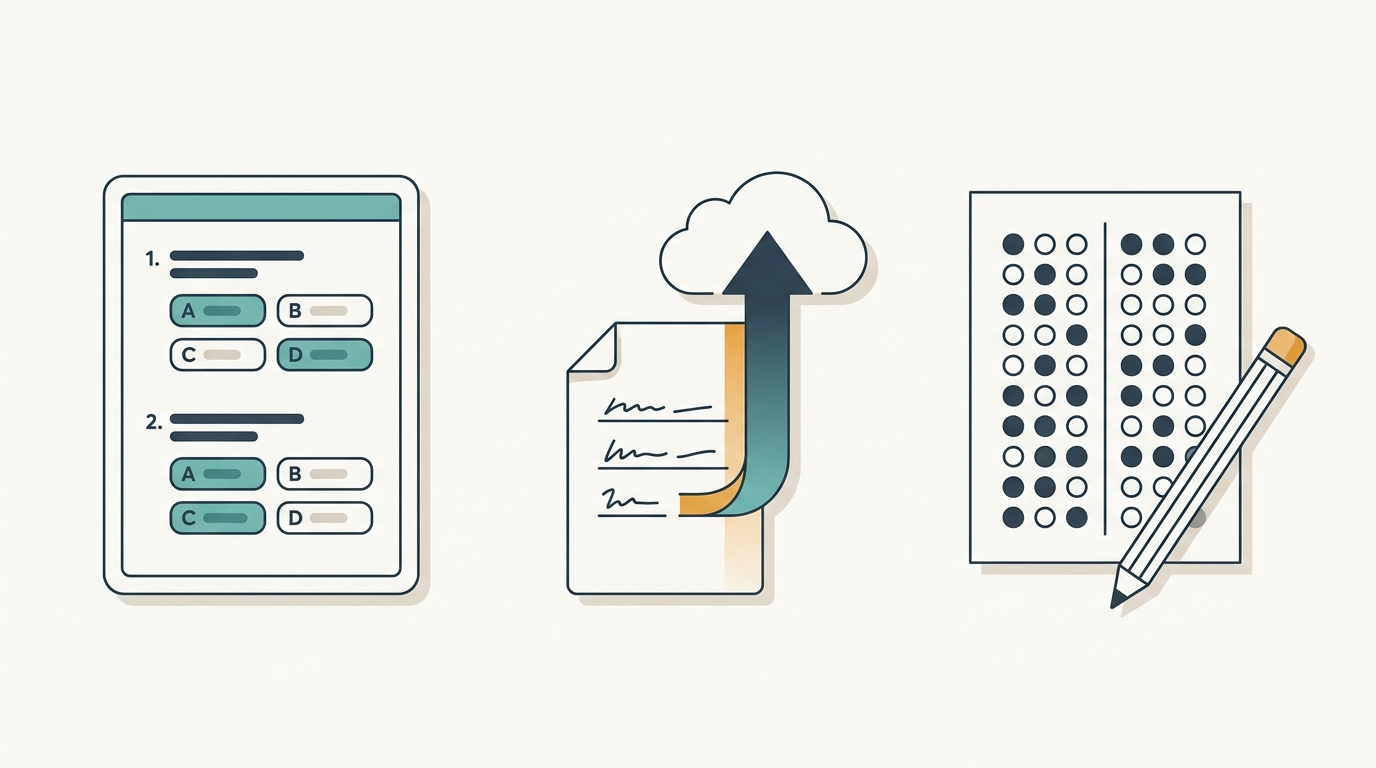
1. Five Assessment Types, One Wizard
Creating an assessment is a four-step guided flow: basic details, questions and sections, participants, and access control. Each step tracks its own completion, and nothing is visible to learners until it is published — which matters more than it sounds when several staff are building papers at once.
Exam
The graded, scheduled test with a fixed live window, full marking rules and controlled result release.
Mock test
Rehearsal papers that mirror a real exam pattern, usually run as a repeating series through a season.
Practice test
Low-stakes practice learners can work through, typically with re-attempts allowed.
Survey
Feedback and information-gathering forms that use the same question engine without marks.
Manual-Upload exam
Subjective papers where learners submit a PDF, file or recorded video rather than answering on screen.
Around the type sit the decisions that define exam day: the live date window candidates may start within, an optional timed preview so they can read the paper before the clock starts, whether submission is automatic at expiry or manual, whether results release automatically or on your word, how many re-attempts are permitted, and whether candidates may request extra time mid-exam for an admin to approve.
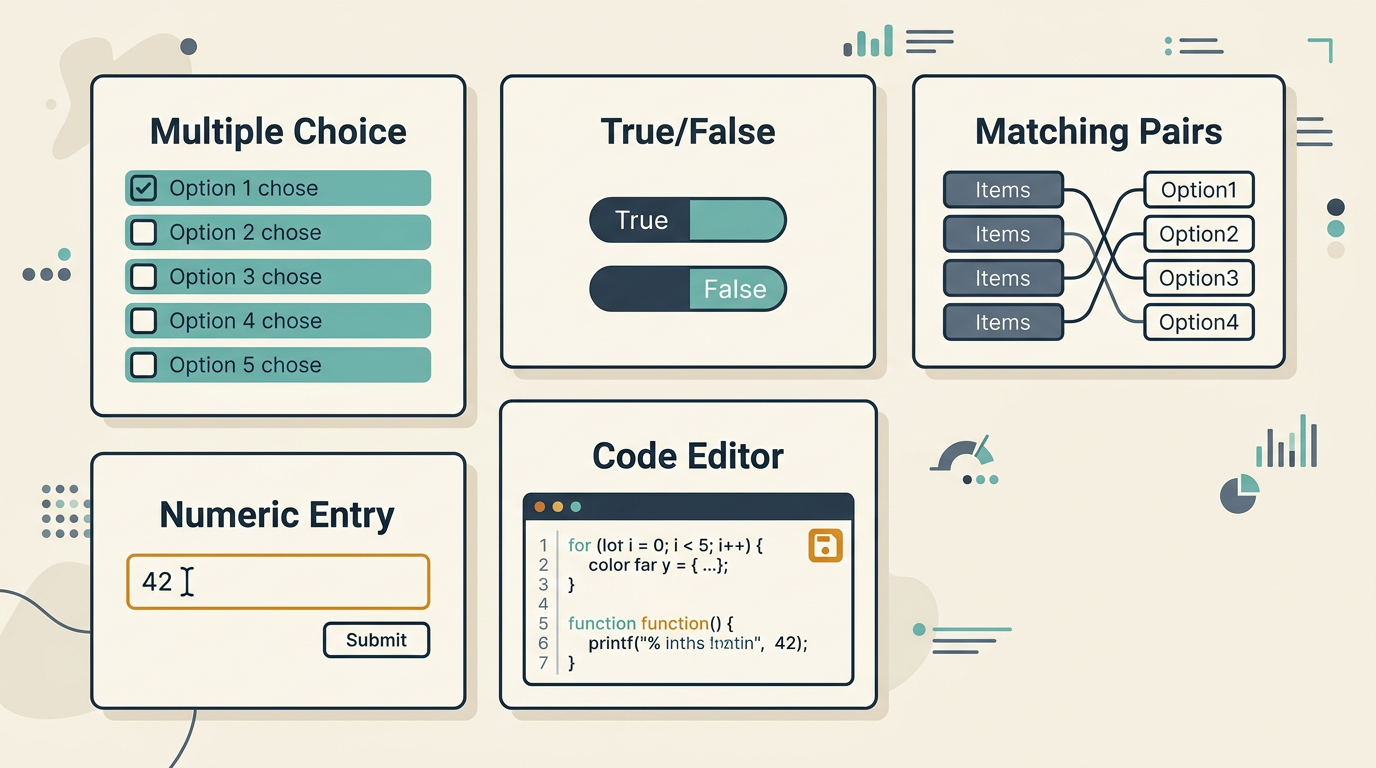
2. Nine Question Types, Including Ones That Run Code
A question bank is only as useful as the formats it can hold. Papers here mix objective and subjective questions freely, and each question is individually marked for automatic or manual evaluation — so a mixed paper grades its objective half instantly while the essays wait for a marker.
Comprehension passages group related questions under one shared text. Question text, options and explanations all support formatted text, images and mathematical formulas.
3. Sections and Marking Rules That Match Real Exam Patterns
Competitive exam patterns are rarely uniform. Any assessment splits into sections, each with its own description, duration and marking rules — per question marks, negative marking, partial credit, cutoff marks and question shuffling, with the total recalculating live as the paper is built. Time limits apply at whichever level the pattern demands: whole assessment, per section, or per question. Whether candidates may move back and forth between sections is your decision, not a platform constraint.
4. Getting Questions In Without Retyping Them
Most institutes already own their question bank — it is just trapped in Word files and PDFs. A .docx paper can be imported directly: configurable markers tell the importer what a question, an option and an answer look like in your format, question types are detected from the answers given, comprehension passages come across attached to their sub-questions, and embedded images and equations are converted and hosted so they render on any device. Anything that does not parse is flagged with a reason before saving, rather than silently corrupting the paper.
From existing material to a structured paper
Questions can also be generated from material you already have, then reviewed and edited before they enter the bank. Every paper lands in a searchable, taggable library filtered by level, subject and tags, with favourites, archiving, and a public community bank you can copy papers from into your own private collection.
5. Who Sits the Exam: Closed Batches or an Open Link
Closed tests are assigned to selected batches or hand-picked learners, with bulk batch registration for whole cohorts. Open tests are the interesting case: they generate a shareable public link and a downloadable QR code, backed by a registration form you build field by field and reorder by dragging, with its own registration window separate from the exam window.
That combination is what makes a scholarship test or an open mock practical as an admissions channel. Every registrant appears in an exportable list tagged with how they arrived — admin pre-registration, batch assignment, or the public link — so the marketing question of which channel produced which candidates has an answer.
Closed by batch or learner
Pre-register whole batches or pick individuals from the roster.
Open link and QR code
A public page addressed by a short code where prospects self-register.
Exportable participant list
Filter and export everyone registered, with their registration source.
6. The Exam That Happens on Paper
Plenty of serious exams still happen in a hall with an answer booklet, and that is not a failure of digitisation. OMR mode covers pen-and-paper tests whose responses are entered afterwards — question by question with the original rich question content rendered on screen for careful entry, or through a spreadsheet-style grid when there are hundreds of sheets to process.
Once entered, those attempts are indistinguishable from online ones as far as the rest of the system is concerned: the same grading, the same leaderboards, the same report cards, the same analytics. The institute gets the digital stack without forcing the exam online.
7. Grading: Automatic, Manual, or AI-Assisted
Objective questions score on submission. Subjective ones go to a dedicated evaluation area with live, upcoming and past tabs and a participant sidebar showing who still needs marking. Evaluators annotate scanned answer sheets in the browser, award marks per question against the answer key, use a built-in calculator for totals, and save partial work as a draft to resume later.
Where AI evaluation is used, it reads scanned PDFs including handwriting and mathematical notation, applies your marking rubric, and returns question-wise marks with written feedback — which teachers review and override before anything is released. If an answer key changes after the exam, re-evaluation runs at any granularity: the whole assessment, selected participants, or specific questions for specific candidates, with an audit log recording every change.
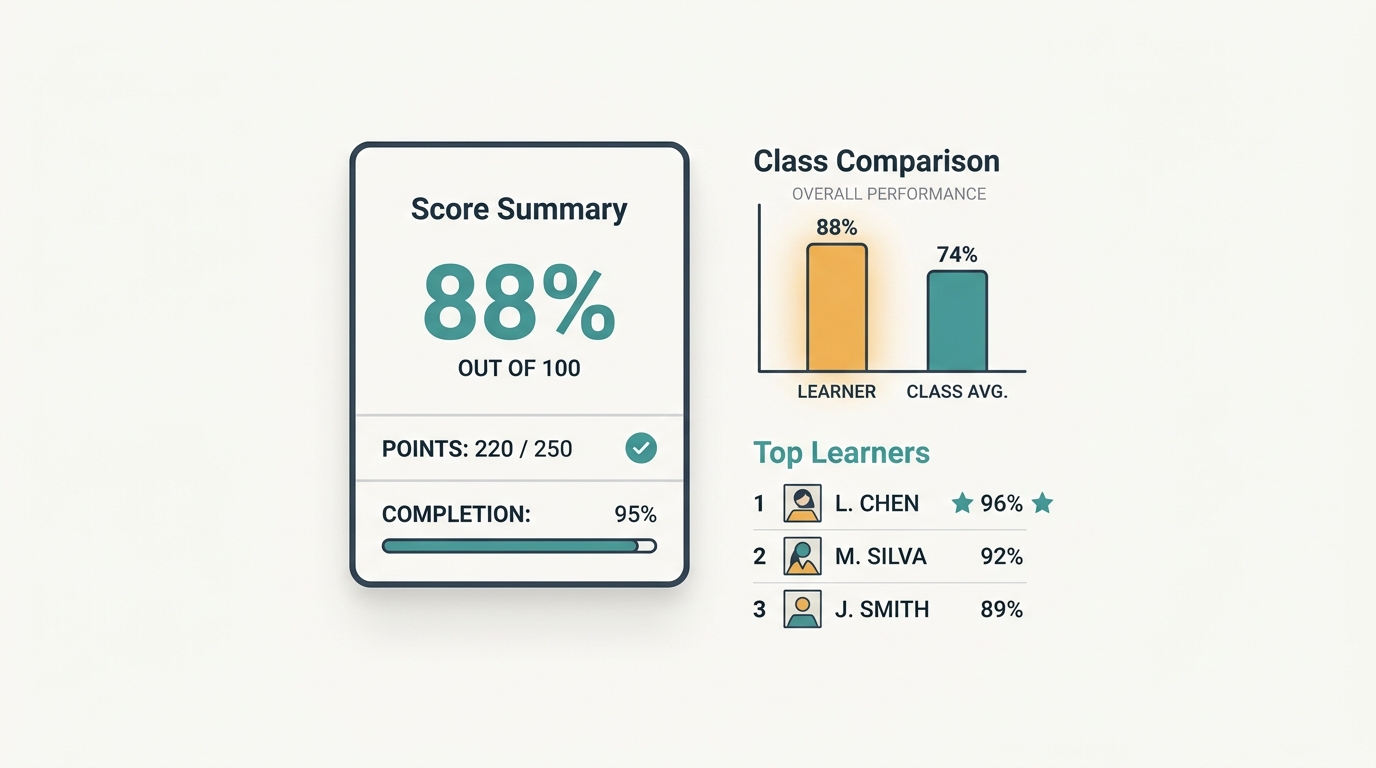
8. Results That Explain Themselves
A mark alone starts arguments. The learner report includes the score breakdown, comparison against batch averages and toppers, leaderboard position where the institute enables it, and the distribution showing what percentage of peers picked each option on every question — which turns a post-exam discussion into a teaching session. Reports download as formatted PDFs or as AI-narrated report cards with written feedback on the attempt.
The practical test is whether a question written for last term's hall exam can be pulled into this week's online mock without retyping it, and whether both results land in the same report card. If not, you are running two systems and reconciling them by hand.
9. Where Assessments Sit in the Wider Course
Assessments are not only standalone events. Quizzes and question slides sit inside courses as part of a lesson, in-video questions interrupt a recording at a chosen moment, and assignments and homework carry their own submission and review flow. The same question bank feeds all of them, which is what keeps a practice quiz in week three and the term exam in week twelve measuring the same syllabus.
Quizzes inside courses
Question slides and in-video questions drawn from the same bank as formal exams.
Coding assessments
Learners write code in an in-exam editor; submissions run against test cases and return per-case verdicts.