Executive Summary
For most institutes the bottleneck in a written exam is not the exam. It is the fortnight afterwards: collecting sheets, distributing them to markers, chasing totals, re-checking disputed answers and finally publishing a mark with no explanation attached. Answer-sheet upload exams keep the handwriting and move everything after it — submission, distribution, marking, moderation and results — into one queue. This piece walks the full path, including what happens when a thousand candidates upload at the same moment.
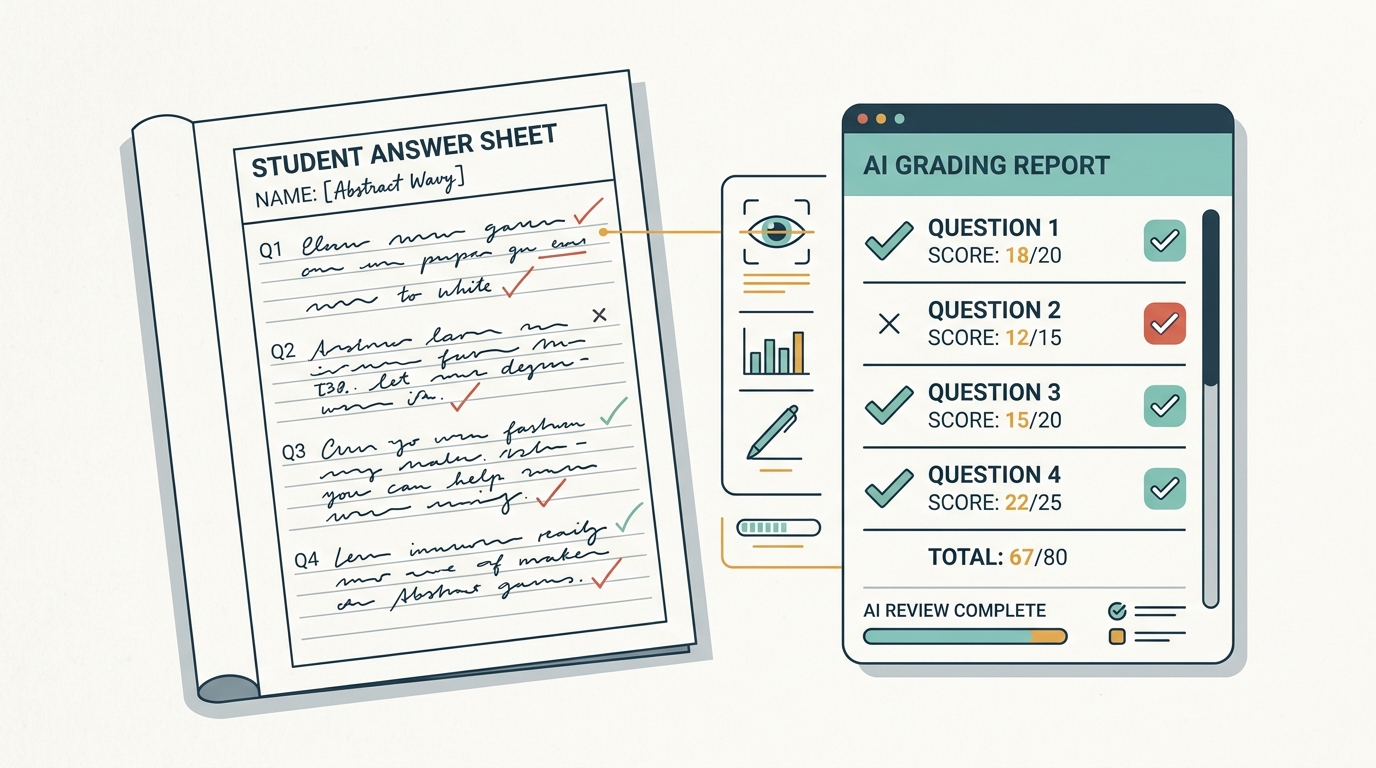
1. The Four Steps of a Written Exam Online
A subjective paper runs on the same assessment engine as an objective one. What changes is the submission and the marking.
Set the paper up as an upload exam
In the creation wizard, choose the Manual-Upload type and set evaluation to manual. Submissions can be a PDF, another file, or a recorded video where the subject calls for it.
Candidates write, then upload
The paper is answered on physical sheets as usual. At the end of the attempt the candidate photographs or scans their sheet, uploads it against their attempt and marks the submission complete.
Evaluators mark on screen
The attempt lands in an evaluation queue. Markers annotate the scan in the browser, award marks question by question against the answer key, and save drafts as they go.
Results release with context
Released reports carry a score breakdown, peer comparison and leaderboard position, and download as a PDF or an AI-narrated report card.
2. Why a Thousand Uploads Do Not Slow the Exam
The obvious worry with upload exams is bandwidth: a few hundred candidates pushing multi-page scans in the same five minutes sounds like the moment a platform falls over. It is not, because of how the upload is routed. Each candidate's device is issued a secure, single-use link and uploads straight to cloud storage. The exam servers issue that link and record the result — they never carry the file.
We measured it on 28 August 2026 with 1,000 candidates uploading six-page answer sheets simultaneously on live production infrastructure — 1,011 files, 974 MB of candidate work. Every step performed by the platform completed in under a fifth of a second at the 95th percentile, no request failed, and all 1,000 submissions were verified individually afterwards as filed with their sheet attached and queued for marking. The exam servers peaked at a tenth of their capacity.
Because the bytes bypass the platform, a ten-megabyte scan costs it no more than a one-megabyte one. A bigger file takes the candidate's own connection longer to send and nothing else changes — which means you can ask for legible, high-resolution scans instead of forcing students to compress their work down to something a marker has to squint at.
3. The Marking Queue Replaces the Staffroom Pile
Evaluators open a dedicated area listing every assessment awaiting grading, split into live, upcoming and past tabs, with a participant sidebar showing exactly who still needs marking. That single view removes most of the coordination overhead of a paper exam — nobody has to ask which bundle went to which teacher.
Annotate in the browser
Mark up the scanned sheet directly on screen, with the option to reset annotations before confirming.
Per-question marks and a calculator
Award marks question by question against the answer key and maximum marks, with totals computed automatically.
Drafts you can resume
Save grading progress partway, come back to it later, or discard it — marking rarely happens in one sitting.
Progress tracking
Pages reviewed, questions not yet visited, marks awarded and time spent are all visible per evaluation.
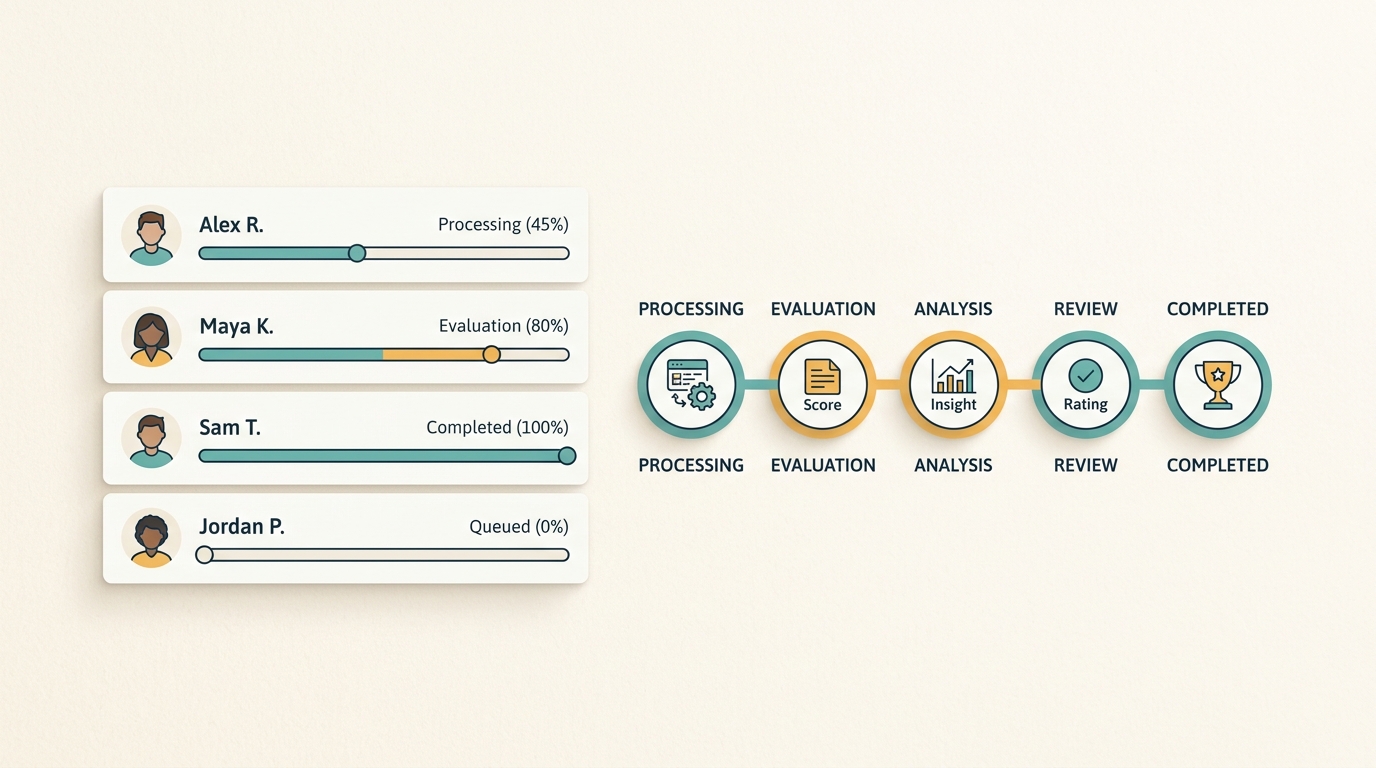
4. Where AI Shortens the Fortnight
Marking a hundred essay papers by hand is not a task that rewards heroism. AI evaluation reads each scanned PDF — including handwriting and mathematical notation — extracts the answers, applies your marking rubric, and returns question-wise marks with written feedback. You can run one candidate or a whole classroom, and watch each stage progress per student.
The rubric is the part worth spending time on, because it is what the AI grades against. Rubrics are managed per assessment and down to individual questions, AI can draft evaluation criteria for you to edit, and criteria templates can be reused across papers.
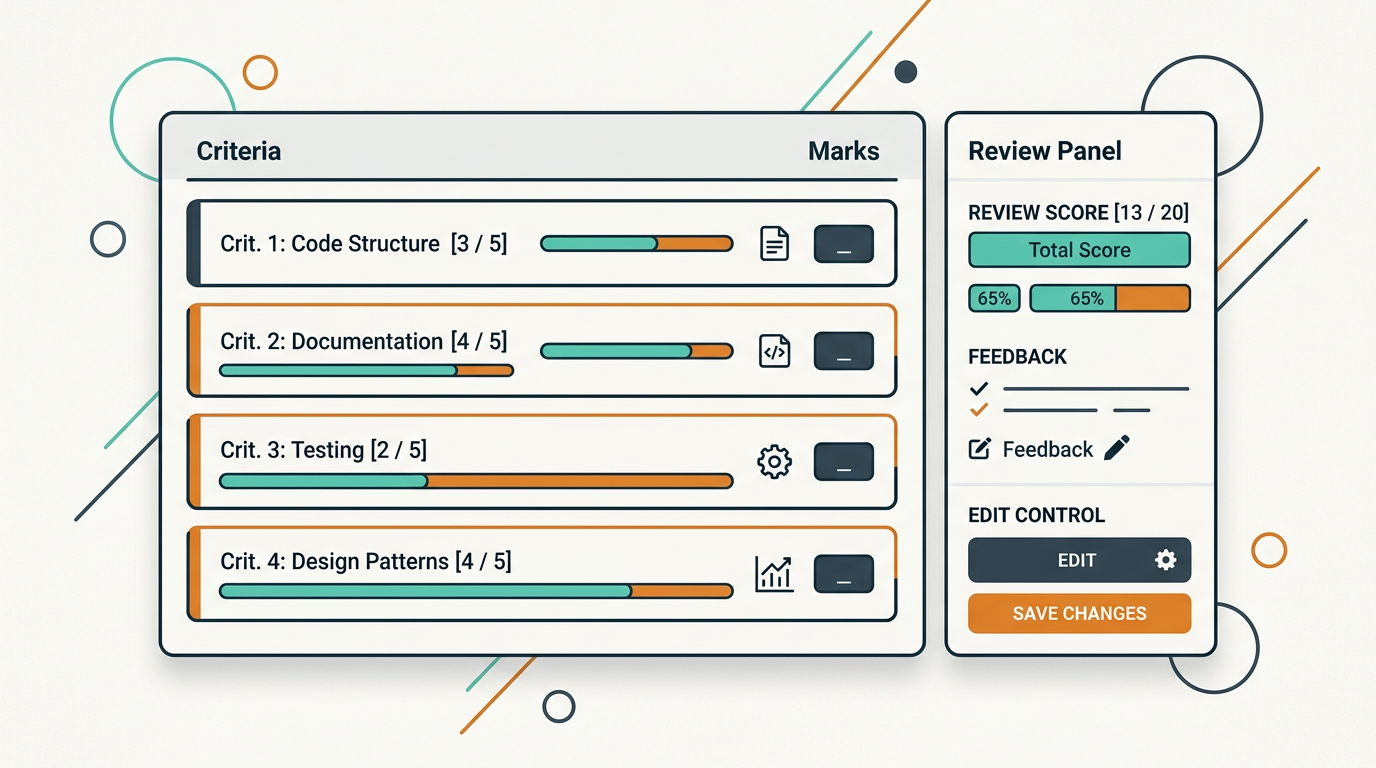
Nothing reaches a student because a model said so. Teachers review each AI-graded question and adjust marks before release, and an answer graded before a rubric change is flagged so it can be revisited. When a parent asks why a mark was given, the answer is a rubric, an annotated sheet and a teacher's decision — not an algorithm.
5. When the Answer Key Turns Out to Be Wrong
It happens in every serious exam season. A question is ambiguous, a key is corrected, and suddenly four hundred papers need revisiting. Re-evaluation runs at whatever granularity the situation needs: the whole assessment, only selected participants, or one specific question across the candidates who answered it. Every evaluation change is written to an audit log, which is what turns a contested result into a defensible one.
6. Mixed Papers Are the Normal Case
Few real papers are purely subjective. Because each question carries its own evaluation mode, a mixed paper scores its objective section on submission and routes only the written answers to a marker — so students get partial results immediately and the marking workload shrinks to the part that genuinely needs judgement. Sections carry their own durations and marking rules, so a one-hour MCQ section followed by a two-hour essay section behaves the way the pattern intends.
The answer key is what makes marking fast
Whether a human or an AI marks the sheet, both work against the same answer key and marking scheme. Getting the paper into the platform properly — imported from a Word file or generated from material you already own — is what makes the marking stage quick, and it is the step institutes most often skip.
7. What Changes for the Institute
The practical difference is not that marking becomes effortless. It is that the week between the exam and the result stops being invisible. You can see how many sheets are marked, who is behind, which papers are disputed and what was changed. Results release on your schedule — per learner, in bulk, or held for manual release — and arrive with enough context that the student can see where the marks went.
The fastest way to judge this is to take a paper you have already marked by hand, run it through as an upload exam, and compare the marks and the time taken. We will set the rubric up with you.