Key takeaways
- An Access Pass sells several courses as one product, with one price and one checkout.
- Courses you add later reach every student who already holds the pass, automatically.
- You decide what happens when a course is removed: keep it for current holders, or take it back.
- The same pass can be sold to students (B2C) or assigned to schools and companies (B2B).
Picture a NEET coaching center in Kota. In June it sells Physics, Chemistry and Biology as three separate online courses. In December it launches a mock test series. Now the phone starts ringing.
“I paid for all three subjects. Do I get the tests?” The honest answer is “yes”. But giving it means enrolling each student by hand, or selling them one more course they feel they already paid for.
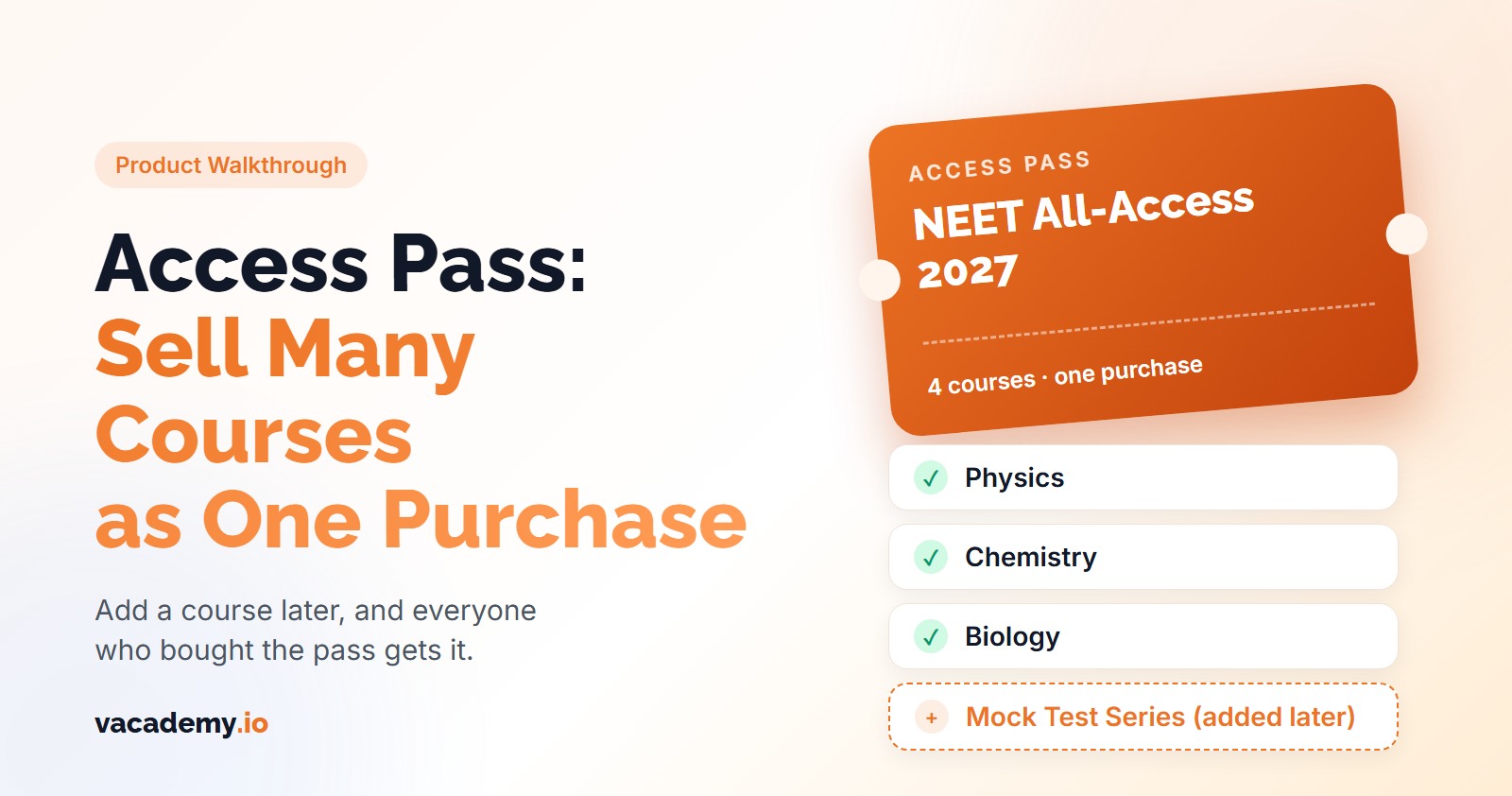
Vacademy's Access Pass fixes this. You sell one pass that holds many courses. When you add a course to the pass, everyone who holds it gets that course too. This post walks through the whole thing, screen by screen.
What Is an Access Pass?
An Access Pass is one product that unlocks a set of courses. It has its own name, cover, description, tags and price. A student buys it once and gets every course in it, for as long as their plan lasts.
Think “NEET All-Access 2027”, “Class 10 Full Year” or “Spoken English, all levels”. The pass shows up on your website like a course, but behind it sit several courses.
The difference
Three separate sales vs one pass
Separate courses
- Three checkouts, three expiry dates
- A new test series means a new sale, or manual enrolment one by one
- Renewals happen course by course
One Access Pass
- One checkout, one plan, one end date
- Add the test series to the pass and every current holder gets it
- One renewal extends every course the pass gave
The Complete Walkthrough: Create, Sell and Run a Pass
Step 1. Click “New access pass” and choose who it is for
In the admin dashboard sidebar, open LMS → Access Passes and click New access pass. The first question is Who is this pass for? Pick Learners (B2C) to sell it on your website, or Organisations (B2B) to give it to schools or companies you manage. Choose carefully: the type cannot change after you create the pass.
Step 2. Fill in the pass details
This is what students see on the card and the details page: Name, Short description (one line on the card), a longer Description, and a Cover image (16:9 works best). The URL key is made from the name for you.
Add Tags such as “NEET” or “Class 10”. Later you can show only the NEET passes on your NEET page.
Step 3. Choose the included courses
Selected courses lets you tick exactly which course batches the pass unlocks. There is a search box and a Select all button.
All courses means every live course, and courses you publish later join the pass on their own. This suits a “whole library” subscription.
Screen illustration
The “New access pass” form, top to bottom
New access pass
One purchase that unlocks a set of courses. Saved as a draft — publish it when it is ready.
Who is this pass for?
Learners (B2C)
Sold on your website. Learners buy it and get every included course.
Organisations (B2B)
Assigned to sub-orgs. Their members get the courses.
Name
NEET All-Access 2027
Short description
Physics, Chemistry, Biology and the test series
Included courses
Pricing
Pick an existing option, or Create pricing
When a course is removed from the pass
Keep for current holders
A simplified drawing of the real form, with an example pass. Labels are the ones you will see on screen.
Step 4. Set the price
Under Pricing, pick a payment option you already have, or click Create pricing to make one for this pass. It can be a one-time payment with a validity period, or a subscription with autopay. See pricing and plans for the options.
If you change the price later, only new buyers pay the new price. Current holders keep their plan.
Step 5. Decide what happens when a course is removed
Keep for current holders (the default): new buyers stop getting the course, but students who hold the pass keep it until their plan ends. Remove from everyone: current holders lose it too. In both cases, a course a student bought separately is never touched.
Step 6. Create the pass, then publish it
Click Create pass. It is saved as a Draft, so you can check it first. Anyone who opens the link now sees “Enrollment is currently closed”.
When it is ready, click Publish. The status changes to Selling and you get a link and invite code to share on WhatsApp, Instagram or your ads.
Want to see your own courses as one pass? We will build one with you in a 30-minute demo.
Step 7. Put the pass on your website
In Manage Pages, add the Access Passes section (under Courses & selling) to any page of your website. You can set the title and subtitle, show only passes with a tag, choose 2 to 4 columns, rename the button, and show or hide the course list and the price.
What students see
The pass card on your website
NEET All-Access 2027
NEET All-Access 2027
Physics, Chemistry, Biology and the test series
3 courses
- 1. The student opens the card and sees the description, “What's included”, how long access lasts and the price.
- 2. They click the button (“Get the pass” unless you rename it).
- 3. They land on your normal enrolment page: the same payment gateway, coupons and form fields you already use.
- 4. After payment, every course in the pass is in their course list.
A simplified drawing. Your card uses your cover image, colors and price.
Step 8. Run the pass after people buy
Open the pass to see its Holders: each student, their plan, start and end dates, autopay, and how many courses came from the pass versus ones they already owned.
Now back to Kota. The test series is ready, so you open the pass, choose it under Add course batches and click Add to pass. The message reads: “Courses added. Current holders get them within a few minutes.” Nobody has to call.
Vacademy also checks every pass on its own every 10 minutes. If you want it done right away, click Sync holders now.
Screen illustration
The pass page after you publish
NEET All-Access 2027
3 courses · 48 current holders
Selling — share this link
Included courses
Sync holders now- NEET Physics · 2027 batch
- NEET Chemistry · 2027 batch
- NEET Biology · 2027 batch
Holders
| Learner | Plan | Start | Ends | Autopay | Courses (pass / own) |
|---|---|---|---|---|---|
| A student | Active | Jun 2026 | May 2027 | No | 3 / 0 |
| Another student | Active | Jul 2026 | Jun 2027 | No | 2 / 1 |
A simplified drawing with example data. “2 / 1” means the pass gave two courses and the student already owned the third.
What Happens to Students When You Change the Pass
This is the part institute owners worry about most. Here is each case in one table.
After people have bought
What happens when you change the pass
| You do this | Students who hold the pass | New buyers |
|---|---|---|
| You add a course | Every current holder gets it within a few minutes, ending with their plan | Get it |
| You remove a course — “Keep for current holders” | Keep it until their plan ends | Don't get it |
| You remove a course — “Remove from everyone” | Lose it (courses they bought separately stay) | Don't get it |
| A holder renews | Every course from the pass is extended | — |
| You click “Stop selling” | Keep access until their plan ends | Can't buy; the link closes |
One more case. Say a student already bought Chemistry on its own before buying the pass. Vacademy notes that they already have it and leaves that purchase alone. If their own Chemistry access ends while the pass is still active, the pass gives it to them again.
Selling to Schools and Companies (B2B)
A B2B pass is never sold on your website. You assign it to a sub-organization, such as a partner school or a company, that already exists in Manage Sub-Orgs.
Open the pass and click Assign pass. The sub-org's team gets access and its learner links include the pass's courses. When you add a course to the pass later, Vacademy pushes it to every assigned sub-org, including its current members.
The sub-org keeps its own payment, seats and validity, set when you created it.
What Access Pass Does Not Do (Yet)
- One price for the whole pass. You cannot price each course inside it differently.
- No organization batches inside a pass. Batches that create a sub-org for each learner cannot be added.
- B2B removal does not take courses back. If you unassign a pass or remove a course, courses already linked stay with the sub-org.
For most coaching centers and schools, none of these get in the way. If one does for you, tell us in the demo.
Sell Your Courses as One Pass
Bring your course list. We will set up your first Access Pass with you, live.
New to selling courses? Start hereFrequently Asked Questions
What is an Access Pass in Vacademy?
An Access Pass is one product that unlocks a set of courses. It has its own name, cover, description, tags and price. A learner buys it once and gets every course in it.
If I add a course to a pass later, do old buyers get it?
Yes. Everyone who currently holds the pass gets the new course within a few minutes, and it expires with their plan. On a very large pass the delivery can take a little longer.
What happens when I remove a course from a pass?
You choose this per pass. 'Keep for current holders' stops new buyers getting it while existing holders keep it until their plan ends. 'Remove from everyone' takes it away from holders too. A course a learner bought separately is never touched.
Can an Access Pass be a monthly subscription?
Yes. A pass is priced by a payment option, so it can be a one-time payment with a validity period or a subscription with autopay. Renewing the pass extends every course it gave the learner.
Can I give an Access Pass to a school or company instead of selling it?
Yes. A B2B pass is assigned to a sub-organization you already manage in Vacademy. Its members get the courses, including any course you add to the pass later. A B2B pass is never sold directly to learners.
What if a learner already owns one of the courses in the pass?
Vacademy notes that the learner already has it and leaves their existing access alone. If that separate access ends while the pass is still active, the pass takes over and gives the course again.